Tag: Code

  • PrideOn: Celebrating My Pebble Time 2 (and Bern Pride)

    PrideOn: Celebrating My Pebble Time 2 (and Bern Pride)

    Today felt like the perfect day to release something new.

    After what felt like an eternity of waiting, my Pebble Time 2 finally arrived. As someone who has spent the past few weeks rediscovering the Pebble ecosystem and building small apps for it, unboxing the watch almost felt like meeting an old friend. There’s something refreshingly simple about Pebble that still inspires me to create.

    Coincidentally, today is also Bern Pride here in Bern, Switzerland. Seeing thousands of people come together to celebrate diversity and community made me want to build something that reflects that spirit in a small, everyday way.

    So I made PrideOn.

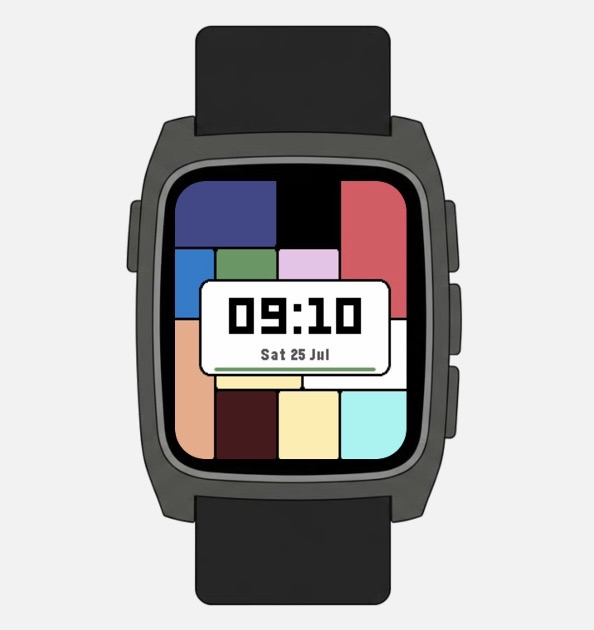
    Rather than displaying a traditional Pride flag, PrideOn turns the colours of the Progress Pride flag into a piece of generative art. Every time the watchface becomes visible again, it creates a completely new composition inspired by Piet Mondrian’s geometric paintings. Every design always includes every colour of the Progress Pride flag—including the Intersex symbol—so no matter how the artwork changes, every part of the community remains represented.

    I wanted it to feel less like a statement you wear and more like a living artwork on your wrist. Familiar colours, endlessly rearranged.

    Building for Pebble has reminded me why I enjoy making software in the first place. The platform is wonderfully constrained. You’re working with tiny screens, limited memory and hardware from another era, yet those limitations encourage thoughtful design instead of endless complexity.

    PrideOn is now yet another Pebble project. And honestly, I don’t think I’m done yet. Receiving my Pebble Time 2 has completely reignited my enthusiasm for developing for this little platform, and I already have a growing list of ideas I’d love to build.

    Happy Bern Pride! 🏳️‍🌈
    Hopefully PrideOn brings a little colour to someone’s wrist today.

    Download the PrideOn Watchface on the Pebble Appstore

  • Warum ich lieber Apps für das iPhone entwickle

    Warum ich lieber Apps für das iPhone entwickle

    Hätte mir vor ein paar Jahren jemand gesagt, dass ich einmal meine Abende damit verbringen würde, Apps zu entwickeln, hätte ich vermutlich gelacht.

    Ich bin kein Softwareentwickler. Ich habe keine Informatik studiert. Ich bin Sozialpädagoge. Programmieren war nie ein Berufswunsch und ehrlich gesagt auch kein Hobby, das mich besonders gereizt hat.

    Ich hatte einfach Ideen.

    Und irgendwann wurde mir klar: Wenn ich darauf warte, dass jemand anderes sie umsetzt, werden sie wahrscheinlich nie Realität. Also begann ich zu lernen. Tutorial für Tutorial. Fehler für Fehler. Kleine Erfolgserlebnisse dazwischen. Irgendwann stand tatsächlich meine erste App im App Store. Heute sind es mehrere. Das fühlt sich manchmal immer noch ziemlich unwirklich an.

    Immer wieder werde ich gefragt, warum meine Apps nur für das iPhone erhältlich sind.

    Die Antwort ist eigentlich ganz einfach: Ich entwickle lieber für iOS.

    Ich weiss, dass das für Android-Nutzerinnen und -Nutzer nicht besonders erfreulich ist. Android hat weltweit den grösseren Marktanteil, erreicht deutlich mehr Menschen und bietet Entwicklerinnen und Entwicklern enorm viele Möglichkeiten. Für viele ist Android deshalb die logische Wahl.

    Das verstehe ich vollkommen.

    Aber wenn man alleine entwickelt und das Ganze neben einem Vollzeitjob macht, verschieben sich die Prioritäten. Dann geht es nicht nur darum, möglichst viele Menschen zu erreichen, sondern auch darum, wie viel Energie der Weg dorthin kostet.

    Für mich spielt dabei Einfachheit eine grosse Rolle.

    Apple stellt mit Xcode praktisch alles bereit, was ich zum Entwickeln brauche. Dort schreibe ich den Code, gestalte die Benutzeroberfläche, teste meine Apps und bereite sie für die Veröffentlichung vor. Natürlich ist Xcode nicht perfekt. Wahrscheinlich hat sich jede Person, die schon einmal für iOS entwickelt hat, mindestens einmal darüber aufgeregt. Trotzdem mag ich, dass fast alles an einem Ort passiert. Ich öffne Xcode, arbeite dort weiter, wo ich aufgehört habe, und kann mich auf die eigentliche Idee konzentrieren. Das klingt banal, macht aber einen riesigen Unterschied, wenn App-Entwicklung hauptsächlich in den Abendstunden und am Wochenende stattfindet.

    Dazu kommt etwas, das auf den ersten Blick vielleicht etwas seltsam klingt: Ich mag es, dass Apple vergleichsweise wenige Geräte herstellt.

    Als Käufer finde ich Auswahl grossartig. Als Entwickler bedeutet jedes zusätzliche Smartphone aber auch eine weitere Bildschirmgrösse, einen anderen Prozessor, eine andere Kamera, eine andere Android-Version und damit eine weitere Möglichkeit, dass irgendwo etwas nicht wie erwartet funktioniert.

    Genau diese Vielfalt macht Android so spannend. Gleichzeitig macht sie die Entwicklung auch deutlich anspruchsvoller.

    Apples Geräte unterscheiden sich natürlich ebenfalls voneinander. Aber sie folgen derselben Designsprache und verhalten sich erstaunlich konsistent. Dadurch verbringe ich weniger Zeit damit, Fehler auf bestimmten Geräten zu suchen, und mehr Zeit damit, darüber nachzudenken, ob eine Funktion überhaupt sinnvoll ist.

    Auch beim Veröffentlichen einer App gefällt mir Apples Ansatz.

    Über App Store Connect werden neue Versionen hochgeladen, Beta-Tester eingeladen, Screenshots verwaltet, Datenschutzeinstellungen festgelegt und alle Informationen gepflegt, die später im App Store angezeigt werden. Entwickler nennen diese Informationen «Metadaten». Gemeint ist im Grunde einfach alles, was zur App gehört, ohne die App selbst zu sein.

    Auch dieses System ist nicht perfekt.

    Aber ich empfinde es als angenehm aufgeräumt.

    Und dann gibt es noch einen Punkt, den ich kaum verschweigen kann:

    Ich nutze KI. Sehr viel sogar.

    Nicht, damit sie meine Arbeit übernimmt. Sondern damit ich schneller ans Ziel komme.

    Inzwischen gibt es dafür sogar einen Begriff: Vibecoding. Dabei beschreibt man einer KI, was man bauen möchte, erhält einen ersten Entwurf und arbeitet diesen anschliessend weiter aus. Man versteht den Code, verbessert ihn, korrigiert Fehler und entwickelt daraus Schritt für Schritt die eigentliche App.

    Manche feiern diesen Ansatz. Andere halten überhaupt nichts davon.

    Mir ist diese Diskussion ehrlich gesagt ziemlich egal.

    Ohne KI hätte ich wahrscheinlich nie so viele Apps entwickeln können.

    Interessanterweise habe ich ausserdem das Gefühl, dass KI mich beim Entwickeln von iPhone-Apps besser unterstützt als bei Android-Projekten. Ob das wirklich so ist, weiss ich nicht. Vielleicht liegt es daran, dass Apples Ökosystem stärker standardisiert ist. Vielleicht an Swift und der guten Dokumentation. Vielleicht ist es auch einfach mein persönlicher Eindruck.

    Was auch immer der Grund ist: Beim Entwickeln für iOS habe ich deutlich seltener das Gefühl, gegen die KI arbeiten zu müssen.

    Trotzdem möchte ich Android überhaupt nicht kleinreden.

    Im Gegenteil.

    Mir ist völlig bewusst, dass ich viele Menschen ausschliesse, wenn ich Apps nur für das iPhone veröffentliche. Weltweit nutzen mehr Menschen Android als iOS. Und ich finde den Gedanken schade, dass jemand eine meiner Apps entdeckt und sie dann gar nicht verwenden kann.

    Mein Ziel war nie, Apps ausschliesslich für Apple-Nutzerinnen und -Nutzer zu entwickeln.

    Ich möchte Dinge bauen, die Menschen nützlich finden.

    Im Moment bin ich aber eine einzelne Person mit einem Vollzeitjob und begrenzter Zeit. Deshalb muss ich Prioritäten setzen. Und im Moment bedeutet das: zuerst iOS.

    Das heisst allerdings nicht, dass Android für mich keine Rolle spielt. Schon heute versuche ich, Entscheidungen zu vermeiden, die eine Android-Version später unnötig erschweren würden. Sollte eine meiner Apps irgendwann grösser werden und mehr Menschen erreichen, wäre eine Android-Version sofort eine meiner höchsten Prioritäten.

    Vielleicht lese ich diesen Beitrag in ein paar Jahren selbst wieder – während ich gleichzeitig eine iPhone- und eine Android-Version meiner Apps weiterentwickle.

    Ich würde mich ehrlich gesagt freuen, wenn es so käme.

    Bis dahin wirst du neue Ideen von mir aber wahrscheinlich weiterhin zuerst im App Store finden.

  • Vom App Store zu GitHub: Warum ich den Code meiner Festival App veröffentliche

    Vom App Store zu GitHub: Warum ich den Code meiner Festival App veröffentliche

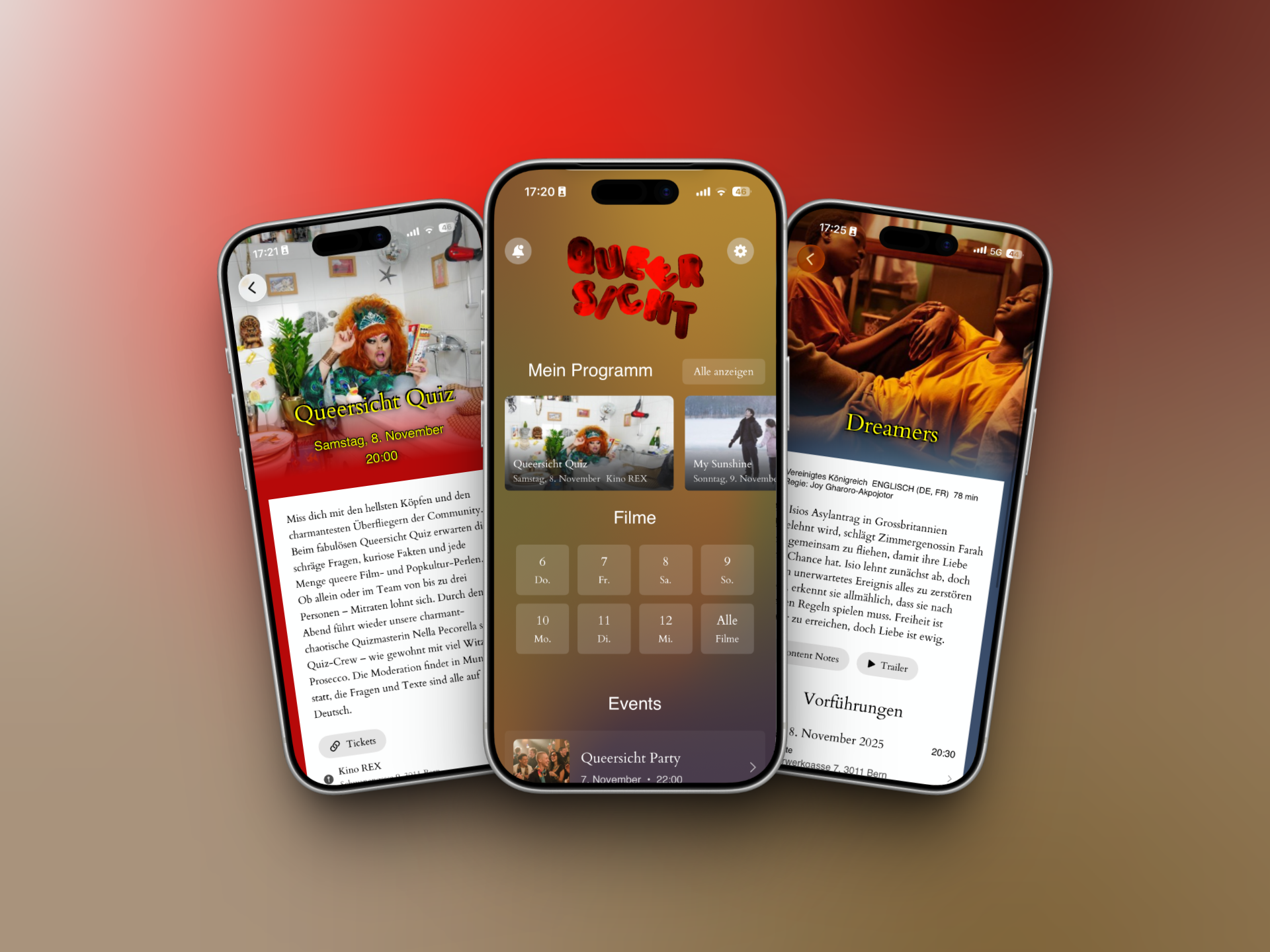
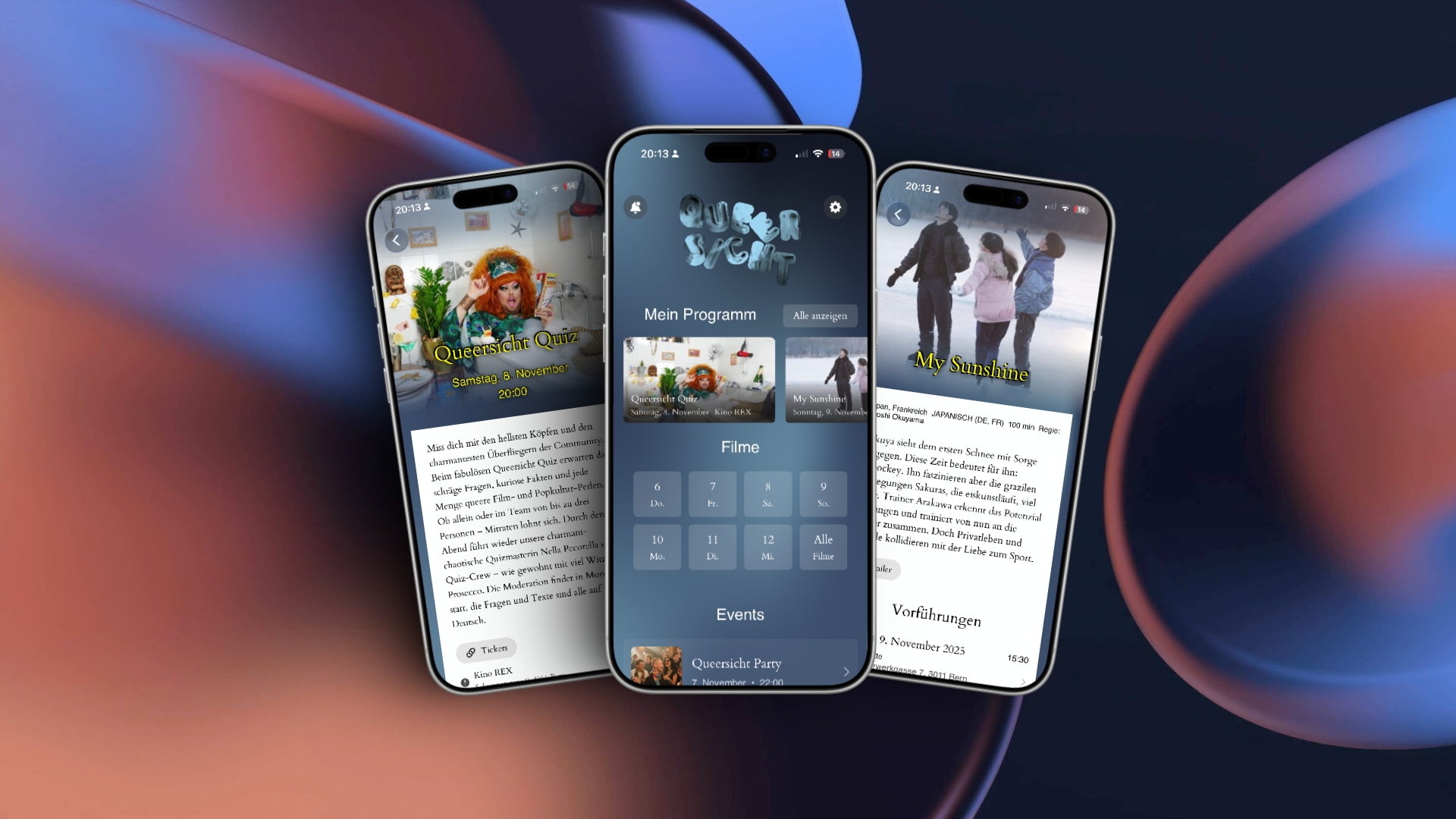
    2025 habe ich mir einen lang gehegten Traum erfüllt: Ich habe meine erste iOS-App im App Store veröffentlicht. Die App für das Queersicht Film Festival war ein echtes Herzensprojekt – von Grund auf entwickelt für das grösste queere Filmfestival der Schweiz. Zu sehen, wie sie heruntergeladen und von echten Festivalbesucher:innen genutzt wurde, war ein grossartiges Gefühl.

    Noch stolzer als auf die Veröffentlichung selbst bin ich allerdings auf das, was ich während der Entwicklung gelernt habe.

    Dieses Projekt hat mich auf eine Weise gefordert, mit der ich nicht gerechnet hatte. Ich habe mich intensiv mit SwiftUI beschäftigt, eine Offline-First-Architektur umgesetzt, eigene Animationssysteme entwickelt und auf die harte Tour gelernt, wie wichtig gutes State Management und Speicheroptimierung sind. Jede Herausforderung hat mich etwas Neues gelehrt, und jeder behobene Bug hat mich zu einem besseren Entwickler gemacht.

    Deshalb veröffentliche ich den kompletten Quellcode auf GitHub – genau so, wie er ist. Mit allen Ecken und Kanten.

    Ich erinnere mich noch gut daran, wie ich selbst angefangen habe. Damals habe ich Open-Source-Projekte angeschaut und mich gefragt, wie sie eigentlich aufgebaut sind. Ich wollte den echten Code sehen – nicht nur das fertige Endprodukt. Jetzt möchte ich etwas davon zurückgeben.

    Diese Codebasis kann als Grundlage für viele unterschiedliche Projekte dienen:

    • Filmfestivals oder Kulturveranstaltungen, die eine eigene Begleit-App entwickeln möchten
    • Konferenzveranstalter:innen, die interaktive Programmübersichten anbieten wollen
    • Vereine oder Communitys, die Event-Guides für ihre Mitglieder erstellen möchten
    • Entwickler:innen, die mehr über Offline-First-Architekturen für mobile Apps lernen wollen
    • Alle, die mit SwiftUI, Animationen oder eigenen Themes experimentieren möchten

    Das Projekt enthält alles, was dazugehört: das iOS-Frontend, ein PHP-Backend mit REST-API, ein Admin-Panel zur Inhaltsverwaltung und sogar ein Minispiel, das ich komplett selbst entwickelt habe. Der Code ist nicht perfekt – heute würde ich einige Dinge anders lösen. Aber er ist echt. Er funktioniert. Und er hat echte Probleme gelöst.

    Ich hoffe, dass dieser Code jemandem dabei hilft, die eigene Traum-App zu verwirklichen. Vielleicht hast du bisher gezögert, dein eigenes Projekt zu starten, weil du nicht wusstest, wo du anfangen sollst. Vielleicht steckst du gerade bei einer technischen Herausforderung fest und möchtest sehen, wie jemand anderes sie gelöst hat. Oder vielleicht möchtest du einfach stöbern, experimentieren und dazulernen.

    Was auch immer dich hierhergeführt hat: Ich hoffe, dass dir dieser Code nützlich ist. Forke ihn, studiere ihn, zerlege ihn, verbessere ihn und mach etwas Eigenes daraus. Bau etwas Grossartiges damit.

    Und falls daraus etwas Cooles entsteht, würde ich mich riesig freuen, davon zu hören. Ich bin gespannt, was du damit erschaffst.

  • From App Store to GitHub: Why I’m Releasing My Festival App

    From App Store to GitHub: Why I’m Releasing My Festival App

    In 2025, I did something I’d been dreaming about for years – I shipped my first iOS app to the App Store. The Queersicht Film Festival app was a labor of love, built from the ground up for Switzerland’s largest queer film festival. Seeing it downloaded and used by real festival-goers was an incredible feeling.

    But more than the pride of shipping, what I’m most proud of is how much I learned along the way.

    This project pushed me in ways I didn’t expect. I dove deep into SwiftUI, figured out offline-first architecture, built custom animation systems, and learned the hard way about state management and memory optimization. Every challenge taught me something new, and every bug I squashed made me a better developer.

    That’s why I’m releasing the complete source code on GitHub – as-is, warts and all.

    I remember when I was starting out, looking at open-source projects and wondering how they were built. I’d wish I could see the actual code, not just the polished final product. Now I want to pay that forward.

    This codebase could be the foundation for so many different projects.

    • Other film festivals or cultural events needing their own companion apps
    • Conference organizers wanting to build interactive schedules
    • Community groups creating event guides for their members
    • Developers looking to learn about offline-first mobile architecture
    • Anyone wanting to experiment with SwiftUI animations and custom themes

    The app includes everything: the iOS frontend, a PHP backend with RESTful API, an admin panel for content management, and even a mini-game I built from scratch. It’s not perfect – there are things I’d do differently now – but it’s real, working code that solved real problems.

    My hope is that this code helps someone else realize their dream app. Maybe you’ve been hesitating to start your own project because you’re not sure where to begin. Maybe you’re stuck on a specific technical challenge and need to see how someone else approached it. Or maybe you just want to explore and learn.

    Whatever brings you here, I hope this code serves you well. Fork it, study it, break it, fix it, and make it your own. Build something amazing with it.

    And If something cool comes out of it: It would be awesome if you let me know. I am curious what you built with it.

  • Dark Palette: Ein nativer Dunkelmodus für moderne WordPress-Websites

    Dark Palette: Ein nativer Dunkelmodus für moderne WordPress-Websites

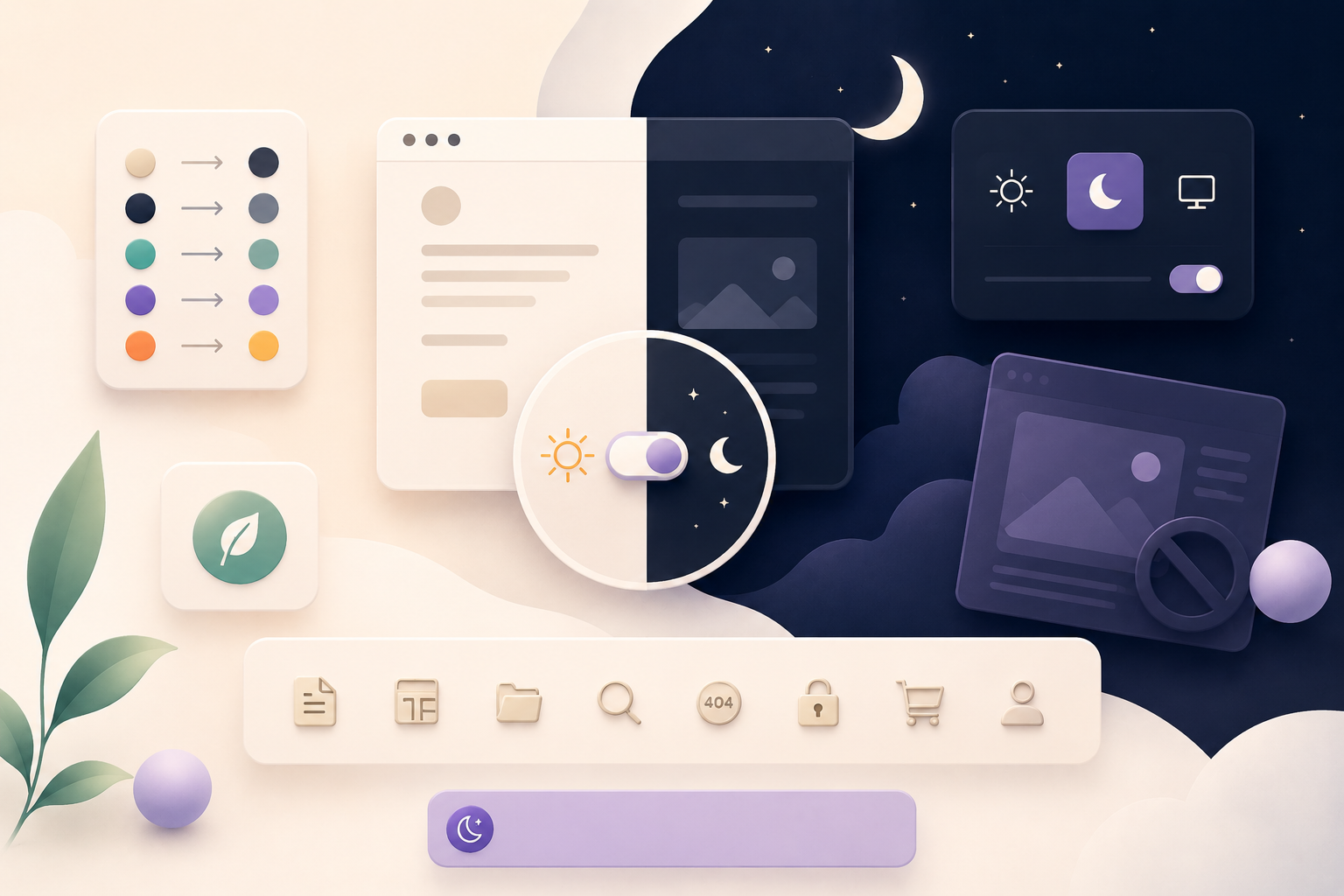
    Schon länger wollte ich einen Dunkelmodus für Websites entwickeln, die auf modernen WordPress-Block-Themes basieren.

    Dark-Mode-Plugins gibt es zwar viele. Die meisten tauschen jedoch Stylesheets aus, überschreiben grosse Teile des CSS oder versuchen, bestehende Farben automatisch umzukehren. Das funktioniert oft, fühlt sich aber nicht nach dem WordPress von heute an.

    Moderne Block-Themes definieren ihre Gestaltung bereits über theme.json. Deshalb entstand die Idee, nicht das Design zu ersetzen, sondern jeder Farbe einfach ein dunkles Gegenstück zu geben.

    Genau das macht Dark Palette.

    Anstatt ein separates Dark Theme zu erstellen, definierst du einmal eine dunkle Variante deiner bestehenden Farbpalette. Sobald der Dunkelmodus aktiviert wird, ersetzt Dark Palette die Farben deines Themes automatisch durch ihre dunklen Gegenstücke. So bleibt das Design deiner Website erhalten und wirkt trotzdem harmonisch im Dunkelmodus.

    Besucherinnen und Besucher können über den Appearance Toggle zwischen Hell, Dunkel und Automatisch wechseln. Die gewählte Einstellung wird gespeichert, bereits vor dem Laden der Seite angewendet und berücksichtigt standardmässig auch die Systemeinstellung des Geräts.

    Gleichzeitig bietet Dark Palette eine sehr feine Kontrolle darüber, wo der Dunkelmodus verfügbar sein soll. Er lässt sich für einzelne Beiträge oder Seiten, ganze Templates, Archivseiten, Suchergebnisse, passwortgeschützte Inhalte, 404-Seiten, den WordPress-Login oder den WooCommerce-Checkout deaktivieren. Ist der Dunkelmodus auf einer Seite nicht verfügbar, kannst du entscheiden, ob der Umschalter ausgeblendet, eine Information angezeigt oder ein deaktivierter Umschalter mit Erklärung eingeblendet werden soll. Die Standardmeldung richtet sich automatisch nach der Sprache deiner WordPress-Installation, individuelle Meldungen können global oder pro Seite definiert werden.

    Damit das Erstellen einer dunklen Farbpalette einfacher wird, enthält Dark Palette eine Live-Vorschau. Während du die dunklen Gegenstücke deiner Farben anpasst, aktualisiert sich die Vorschau sofort und zeigt, wie Hintergründe, Texte, Links, Buttons und Akzentfarben zusammenwirken.

    Dark Palette ist vollständig mehrsprachig und orientiert sich automatisch an der Sprache deiner WordPress-Installation. Aktuell sind Englisch, Deutsch, Französisch, Italienisch und Spanisch integriert – sowohl im WordPress-Adminbereich als auch im Block-Editor.

    Mein Ziel war es nicht, einfach ein weiteres Dark-Mode-Plugin zu entwickeln. Ich wollte ein Plugin schaffen, das sich so anfühlt, als würde es von Anfang an zu modernem WordPress gehören.

    Ich hoffe, dass Dark Palette dabei hilft, Websites zu gestalten, die sowohl tagsüber als auch nachts angenehm zu nutzen sind.

    Mehr Informationen zu Dark Palette findest du auf meiner Portfolio-Website. Dort stelle ich regelmässig die Projekte vor, an denen ich gerade arbeite.

    Der vollständige Quellcode ist auf GitHub verfügbar. Dort kannst du das Plugin herunterladen, Fehler melden, neue Funktionen vorschlagen oder selbst zur Weiterentwicklung beitragen.

  • Introducing Dark Palette

    Introducing Dark Palette

    For a long time, I wanted to add dark mode to websites built with modern WordPress block themes.

    There are already plenty of dark mode plugins available. Most of them work by swapping stylesheets, injecting lots of CSS or trying to invert existing colours. While those approaches can work, they don’t really fit how modern WordPress themes are built.

    Block themes already define their design through theme.json. So instead of replacing a website’s appearance, I wondered: what if every colour simply had a dark counterpart?

    That’s exactly what Dark Palette does.

    Instead of creating a separate dark theme, Dark Palette lets you define a dark version of your existing colour palette. Whenever dark mode is active, the plugin automatically swaps your theme’s colours for their dark counterparts. This keeps the design consistent while giving visitors a comfortable viewing experience.

    Visitors can switch between Light, Dark and Auto mode using the Appearance Toggle block. Their preference is remembered, the correct appearance is applied before the page loads, and the plugin respects the operating system’s preferred colour scheme by default.

    Dark Palette also gives website owners precise control over where dark mode should be available. It can be disabled for individual posts or pages, entire templates, archive pages, search results, password-protected content, 404 pages, the WordPress login screen or even the WooCommerce checkout. When dark mode isn’t available, you can decide whether the toggle should disappear, display an information message or remain visible in a disabled state with an explanation. The default message automatically follows the language of your WordPress installation, while custom messages can be defined globally or for individual pages.

    Creating a balanced dark palette is easier thanks to the built-in live preview. As you adjust the dark counterparts of your colours, the preview immediately updates to show how backgrounds, text, links, buttons and accent colours work together.

    Dark Palette is fully multilingual and automatically follows your WordPress installation’s language. The plugin currently includes English, German, French, Italian and Spanish translations for both the WordPress admin area and the block editor, making it feel like a natural part of WordPress rather than an add-on.

    My goal wasn’t to build another dark mode plugin. I wanted to build one that works with modern WordPress instead of around it.

    I hope Dark Palette makes it easier to create beautiful websites that look great both during the day and at night.

    You can learn more about Dark Palette on my portfolio website, where I regularly share the projects I’m working on.
    The complete source code is available on GitHub, where you can download the plugin, report issues, suggest new features or contribute to its development.

  • I’m Building a New Notes & Tasks App (and I’m Not Sure If It’s a Good Idea)

    I’m Building a New Notes & Tasks App (and I’m Not Sure If It’s a Good Idea)

    I’ve been thinking a lot about how I organize my life.

    Right now, I use a mix of the built-in Apple Notes, Apple Calendar and Apple Reminders.

    And honestly… they’re all good.

    But something still feels off.


    The Problem I Keep Running Into

    My notes, tasks, and planning are always slightly disconnected.

    • I write something in a note → but forget to turn it into a task
    • I create a task → but lose the context of why
    • I plan something → but can’t easily connect it back to my thinking

    Everything exists… but not together.

    Example of how the apps work now. Each app by itself. No real connection.

    What Existing Apps Do Well (and Where They Fall Short)

    Apps like Notion are incredibly powerful.

    But:

    • They can feel heavy
    • Too many decisions, too much structure
    • Not always quick or calm to use

    Apps like Bear or Apple Notes feel amazing for writing.

    But:

    • Tasks are secondary or missing
    • Connections between ideas and actions are weak

    And the native Apple combo:

    • Apple Notes + Apple Reminders + Calendar

    …works, but:

    • everything lives in separate places
    • there’s no real “linking” between them

    The Idea I’m Exploring

    So I started building something for myself.

    The idea is simple:

    What if notes, tasks, and planning were deeply connected — without becoming complicated?

    The key is not more features.

    It’s references.

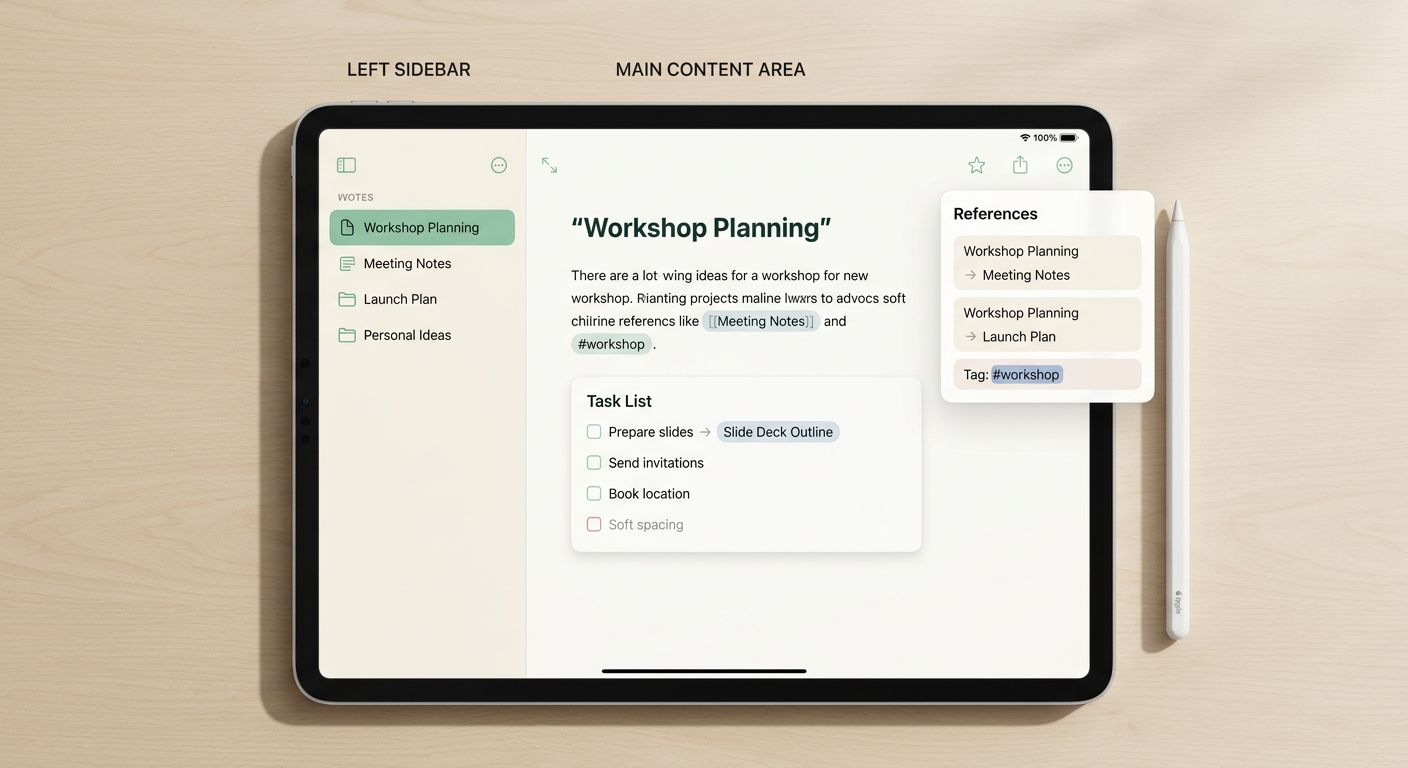
    Mockup of how the app could work.

    What Makes This Different

    In this app:

    • A note can directly reference another note
    • A task can link back to the note it came from
    • A note can contain a task list
    • A task list can be reused and referenced elsewhere

    All using simple patterns like:

    • [[Meeting Notes]]
    • #project
    • @list(Launch Tasks)

    So instead of jumping between apps, everything is connected in one place.

    Another Mockup. How a Overview could look like.

    What I’m Trying to Avoid

    I don’t want to build:

    • another complex “everything app”
    • another tool that requires setup before you can think
    • something that feels overwhelming

    I want something that feels:

    • calm
    • fast
    • and naturally connected

    Where I’m Not Sure

    This is where I’d love your honest opinion.

    Because I genuinely don’t know:

    • Is this actually a problem you feel too?
    • Or is the current mix of apps already “good enough”?
    • Does the idea of references between notes and tasks make sense to you?

    So… Is This a Good Idea?

    I’d really appreciate your thoughts.

    👉 Would you use something like this?
    👉 Or does this feel unnecessary?

    Be honest — I’m still early enough to change direction.

  • I Didn’t Expect to Fall Back in Love with Pebble

    I Didn’t Expect to Fall Back in Love with Pebble

    It started almost by accident. Just a small idea, something quick to try. I opened the Pebble smartwatch SDK again, not really expecting anything, just curious what it would feel like to build for it now.

    And then I didn’t stop.

    There was something about it that immediately felt different. No pressure to build something big. No sense that it had to scale or turn into a full system. Just a tiny screen, a few buttons, and a question: what is the smallest thing that could still feel meaningful?

    The first thing I built was playful. ImproHelper for Pebble. You press a button and suddenly you have a scene — a setting, a role, a tone. It feels almost like pulling a spark out of nowhere. Something you can use in a workshop, or just to get unstuck for a moment. It doesn’t try to be anything more than that, and maybe that’s exactly why it works.

    Then things shifted a bit. The second app, Tiny RPG Day, became more personal. It takes something abstract — how you feel, your energy, your focus — and turns it into a small character. Not in a gamified, achievement-driven way, but more like a gentle translation. On a heavy day, you might become a “Soft Alchemist,” low on energy but still emotionally steady. On another day, something more chaotic, more active. It doesn’t fix anything. It just gives you a different way to look at where you are.

    And then there’s StillTime. That one almost doesn’t feel like an app at all. It’s just a watchface. Time, and two lines underneath. A short vibe. A quiet prompt. Sometimes it says something like “soft but steady,” and below that, “what do you notice?” There’s nothing to do. No interaction needed. It just sits there, gently, like a layer underneath the day.

    Somewhere along the way, I realized that this was the part I had been missing. Building things that are small on purpose. Things that don’t try to capture attention, but instead fit into the small gaps that already exist. A glance. A moment. A thought that passes through.

    It’s a very different kind of making. You’re not designing a product, really. You’re designing a feeling. Something that appears for a second and then disappears again, but leaves a trace.

    Now I’m waiting for my Pebble Time 2 to arrive, hopefully soon. And it’s funny — I’m not excited in the usual way. Not because of features or performance. Just because I want to wear these small things I made. To see them exist in the place they were meant for.

    I didn’t expect to get pulled back into this. But maybe that’s the point. Sometimes the most interesting things aren’t the ones that try to be big. They’re the ones that stay small, and quiet, and just… there.

    And right now, that feels exactly right.

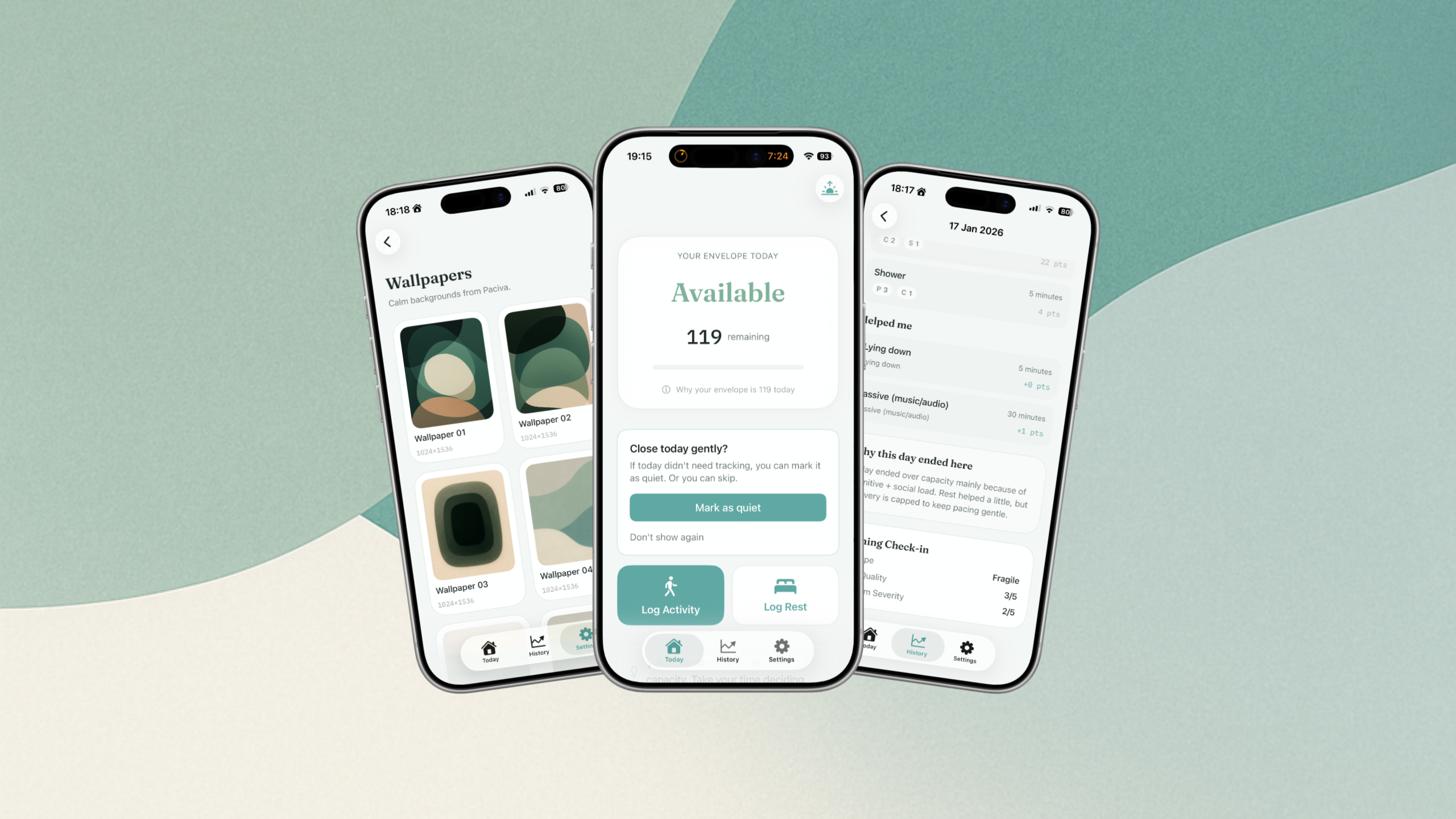
  • Paciva: Building a Tool for When Energy Isn’t Reliable

    Paciva: Building a Tool for When Energy Isn’t Reliable

    For a long time, I’ve been thinking about energy — not in the productivity sense, but in the very human sense.

    The kind of energy that isn’t reliably self-renewing.

    The kind that doesn’t come back just because you slept, or tried harder, or “pushed through.”

    That question became much more personal when someone very close to me was diagnosed with ME/CFS. Watching how carefully they had to live — and how invisible those limits were to the outside world — changed how I thought about everyday life. At the same time, I’ve been navigating my own neurodivergence, and the way capacity can disappear without warning, even on “normal” days.

    What struck me most wasn’t just the exhaustion.

    It was the constant guessing.

    How much is too much today?

    What’s safe now, but costly later?

    Why does something small wipe me out, while something bigger sometimes doesn’t?

    There are good concepts for this — pacing, spoons, envelopes — but very few tools that feel calm, honest, and usable in real life. Many apps try to motivate, optimize, or quantify. That felt wrong for this problem.

    So I started building Paciva.

    The Envelope Idea

    Paciva is built around a simple metaphor: the envelope.

    Imagine that each day you’re given an envelope. Inside is your capacity for that day. You don’t know the exact amount, and it’s not the same every time. Some days it’s thick, some days it’s thin. Once it’s empty, borrowing from tomorrow comes with a cost.

    Paciva doesn’t try to tell you what you should do.

    It doesn’t try to optimize your output or gamify your behavior.

    Instead, it helps you notice:

    • how full your envelope feels today
    • what seems to spend it
    • what actually helps it recover
    • and when it might be wiser to stop

    Over time, the app gently calibrates itself to you. There’s no universal “100” you’re supposed to reach. Your envelope is personal. The numbers are just a reference — a way to make something invisible a little more visible.

    How the App Came Together

    Paciva didn’t start as a single, clear idea. It evolved through a lot of questions, discarded features, and uncomfortable realizations.

    At first, I tried to make it very specific: an app for ME/CFS, or an app for neurodivergent people. But that didn’t quite feel right. The underlying problem was the same: living with energy that can’t be trusted to replenish on demand.

    So Paciva became simpler and more honest.

    At its core, it’s just an envelope.

    Everything else — context, wording, guidance — is optional.

    You can tell the app what kind of day you’re having.

    You can log activities or rest in a very lightweight way.

    You can use widgets, quick logs, or ignore parts entirely.

    It’s intentionally not perfect. It doesn’t claim medical accuracy. It doesn’t promise optimization. It may even feel slightly “wrong” at first — and that’s okay. Paciva needs a few days to learn what your envelope looks like.

    What Paciva Is (and Isn’t)

    Paciva is a tool. Nothing more, nothing less.

    It’s not a diagnosis.

    It’s not medical advice.

    It’s not a productivity system.

    It’s something you can check in with when you’re unsure.

    Something that helps externalize a decision that’s otherwise always happening in your head.

    If it helps you rest earlier, say no sooner, or understand yourself a bit better — then it’s doing its job.

    Paciva Is Now Live

    The first public iOS version of Paciva is now available on the App Store:

    👉 Download Paciva on iOS:

    https://apps.apple.com/ch/app/paciva/id6757721216

    The app is still evolving, and it’s intentionally modest in what it promises. I’m sharing it now because I believe it’s already useful — even if it’s not finished.

    If you’d like to learn more about how Paciva works, the envelope concept, or where the app is heading, you can visit:

    👉 https://paciva.app

    Thank you to everyone who tested early versions, shared thoughts, or simply told me, “Yes — this feels familiar.”

    That was the signal I needed to release it.