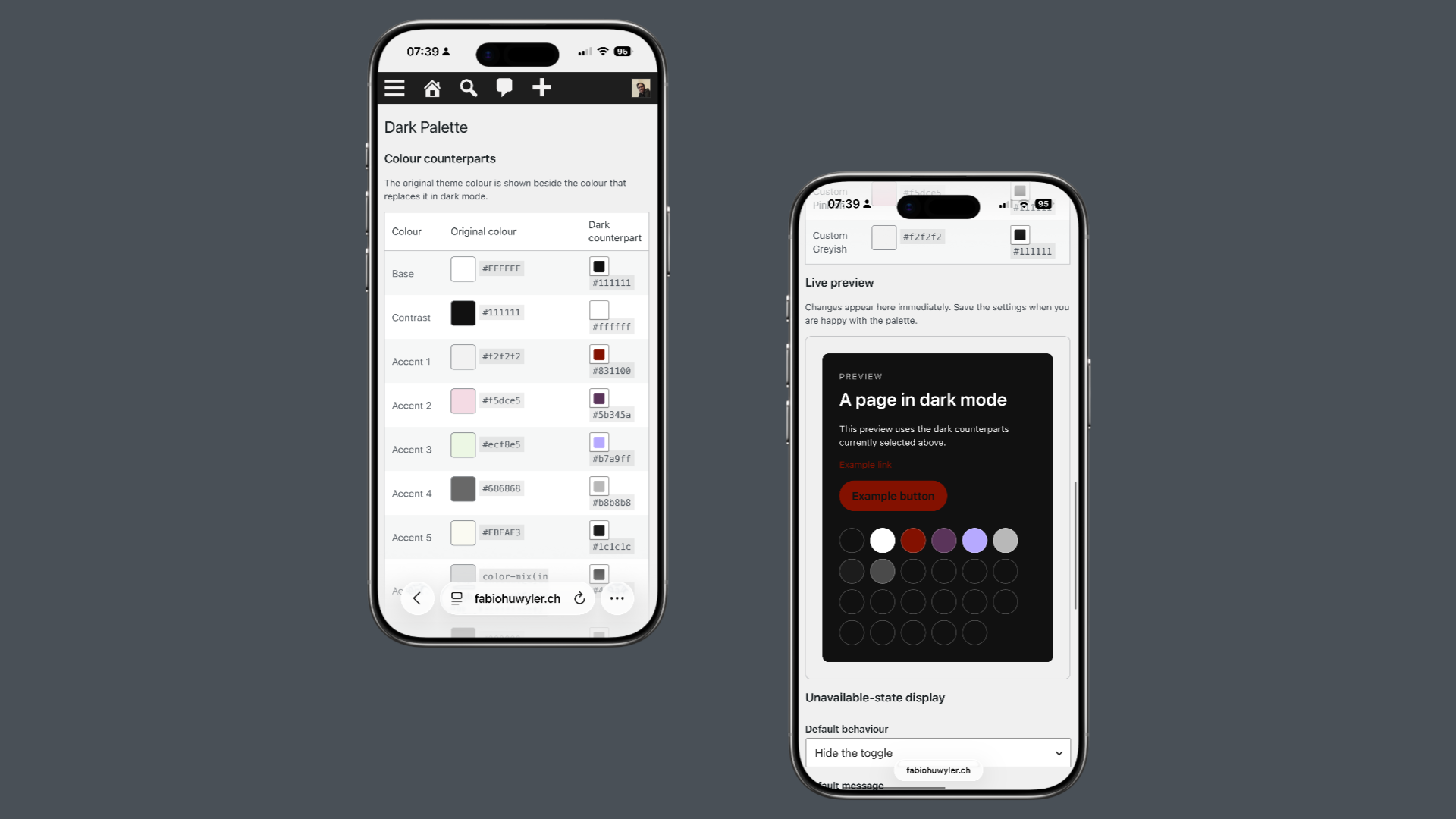
The idea is simple: every color in a theme’s palette can have a custom dark counterpart. When visitors switch to dark mode, the plugin replaces the original palette with the dark one while keeping the site’s design intact. This approach creates a lightweight, accessible and consistent dark mode experience that feels like a natural part of WordPress.
The plugin includes an Appearance Toggle block with Light, Dark and Auto modes, remembers visitors’ preferences and respects their operating system settings. Site owners can define custom dark colors for every palette color, disable dark mode on specific pages, templates or special areas such as search results, archive pages or the login screen, and decide how visitors are informed when dark mode is unavailable.
Dark Palette was developed with the support of ChatGPT. I designed the concept, features, user experience and overall architecture, while ChatGPT helped me translate ideas into working code. It became a great example of how human creativity and AI-assisted development can complement each other to build thoughtful software.
Introducing Cur8: A Beautiful Way to Share Your Updates on WordPress
In today’s digital landscape, content creators need elegant, intuitive tools to share their thoughts, images, and experiences. That’s why I’m excited to introduce Cur8 – a WordPress plugin that transforms how you curate and share content on your website.
The Problem with Traditional Blogging
Traditional WordPress posts are powerful but often feel too heavy for quick updates. You want to share a thought, post a photo, or drop a quote without the overhead of creating a full blog post. Social media platforms have filled this gap, but they come with a cost: you don’t own your content, and your audience is at the mercy of algorithms.
Cur8 bridges this gap. It brings the simplicity of microblogging to your WordPress site while keeping you in full control.
What Makes Cur8 Special?
Four Ways to Express Yourself
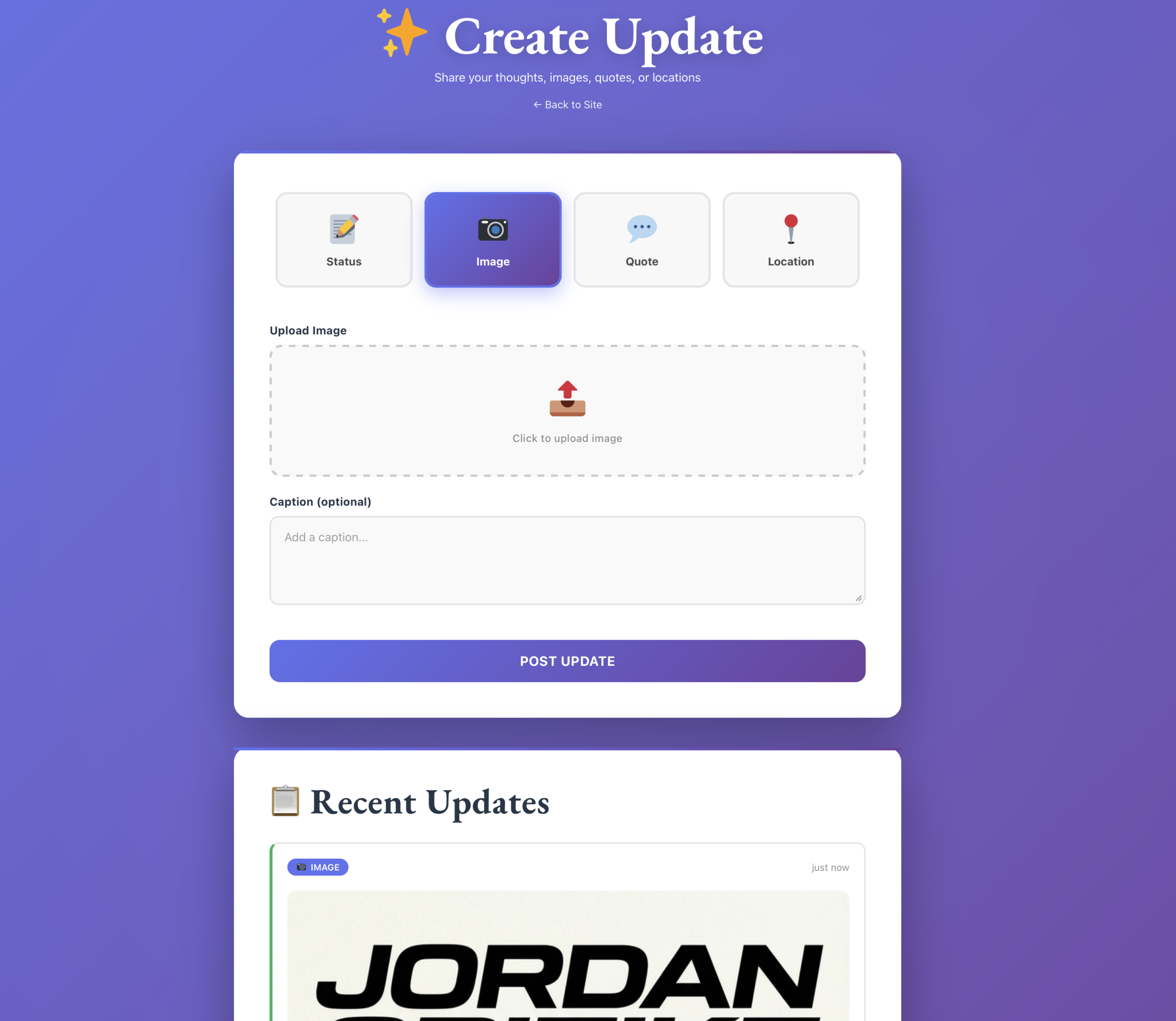
Cur8 supports four distinct update types, each designed for a specific purpose:
Status Updates: Share your thoughts with optional links – perfect for quick announcements or commentary
Images: Upload photos with captions – ideal for visual storytelling
Quotes: Curate inspiring quotes with proper attribution
Locations: Share places you’ve visited with descriptions
Each type has its own beautifully designed interface, making it effortless to create exactly the content you want.
A Posting Experience You’ll Love
Visit `/cur8` on your site and you’ll be greeted by a stunning, gradient-styled interface that makes posting a joy. The clean design, smooth animations, and intuitive controls mean you’ll spend less time fighting with your CMS and more time creating.
Want to keep it private? Set a password in the settings, and only authorized users can access the posting interface. Perfect for personal sites or client projects.
Five Themes, Infinite Possibilities
Your content deserves to look its best. Cur8 includes five carefully crafted design themes:
Minimalist: Clean lines and maximum simplicity
Modern: Subtle, professional styling (the default)
Bold: High-contrast filled backgrounds that demand attention
Shadow: Elevated cards with depth and dimension
Gradient: Colorful, eye-catching gradients
And here’s the best part: Cur8 integrates seamlessly with WordPress Full Site Editing. If your theme uses FSE, Cur8 automatically detects your theme colors and presents them as one-click options. No more hunting for hex codes or trying to match your brand colors manually.
Display Your Updates Anywhere
Creating content is only half the battle – you need to display it beautifully. Cur8 makes this trivial:
*Shortcode:* Drop `[cur8_updates]` anywhere and you're done. Want to show only images in a grid? `[cur8_updates type="image" layout="grid"]`. It's that simple.

*Widget:* Drag the Cur8 widget into any widget area. Perfect for sidebars or footers.

*PHP:* Developers can call `cur8_display_updates()` directly in their theme files for maximum control.
Built for Developers, Designed for Users
While Cur8 is incredibly user-friendly, it doesn’t sacrifice power. Under the hood, you’ll find:
Full REST API: Programmatic access to all your updates
Clean Database Schema: Efficient storage with proper indexing
WordPress Best Practices: Follows coding standards and security guidelines
Extensible Architecture: Easy to customize and extend
The plugin is open source and available on GitHub, so you can inspect the code, contribute improvements, or fork it for your own projects.
Real-World Use Cases
Personal Blog: Share daily thoughts, photos from your travels, and inspiring quotes – all without the formality of full blog posts.
Portfolio Site: Showcase recent work, share design inspiration, and post quick updates about your creative process.
Business Website: Announce company news, share team photos, post customer testimonials, and highlight locations you serve.
Community Site: Let members share updates in a curated, branded environment that you control.
Getting Started is Easy
1. Install Cur8 from GitHub
2. Activate the plugin
3. Visit Settings → Cur8 to customize colors and themes
4. Go to `/cur8` to start posting
5. Add `[cur8_updates]` to any page to display your updates
That's it. No complex configuration, no overwhelming options – just a clean, intuitive tool that works.
The Philosophy Behind Cur8
I built Cur8 because I believe content creators should own their platforms. Social media is great for reach, but your website is your home on the internet. It should be easy to share quick updates there without compromising on design or user experience.
Cur8 is also about respecting your time. The interface is fast, the posting process is streamlined, and the display options are flexible. You shouldn’t need to be a developer to create a beautiful content stream on your site.
What’s Next?
I plan to actively maintain Cur8 and to constantly work on improvements. Some features on the roadmap include:
Additional update types (videos, audio, links)
Advanced filtering and search
Import/export functionality
Analytics and insights
More design themes
But the core philosophy will remain: simple, beautiful, and yours.
Try It Today
Cur8 is free, open source, and ready to use. Whether you’re a blogger, designer, business owner, or developer, it offers a fresh way to share content on your WordPress site.
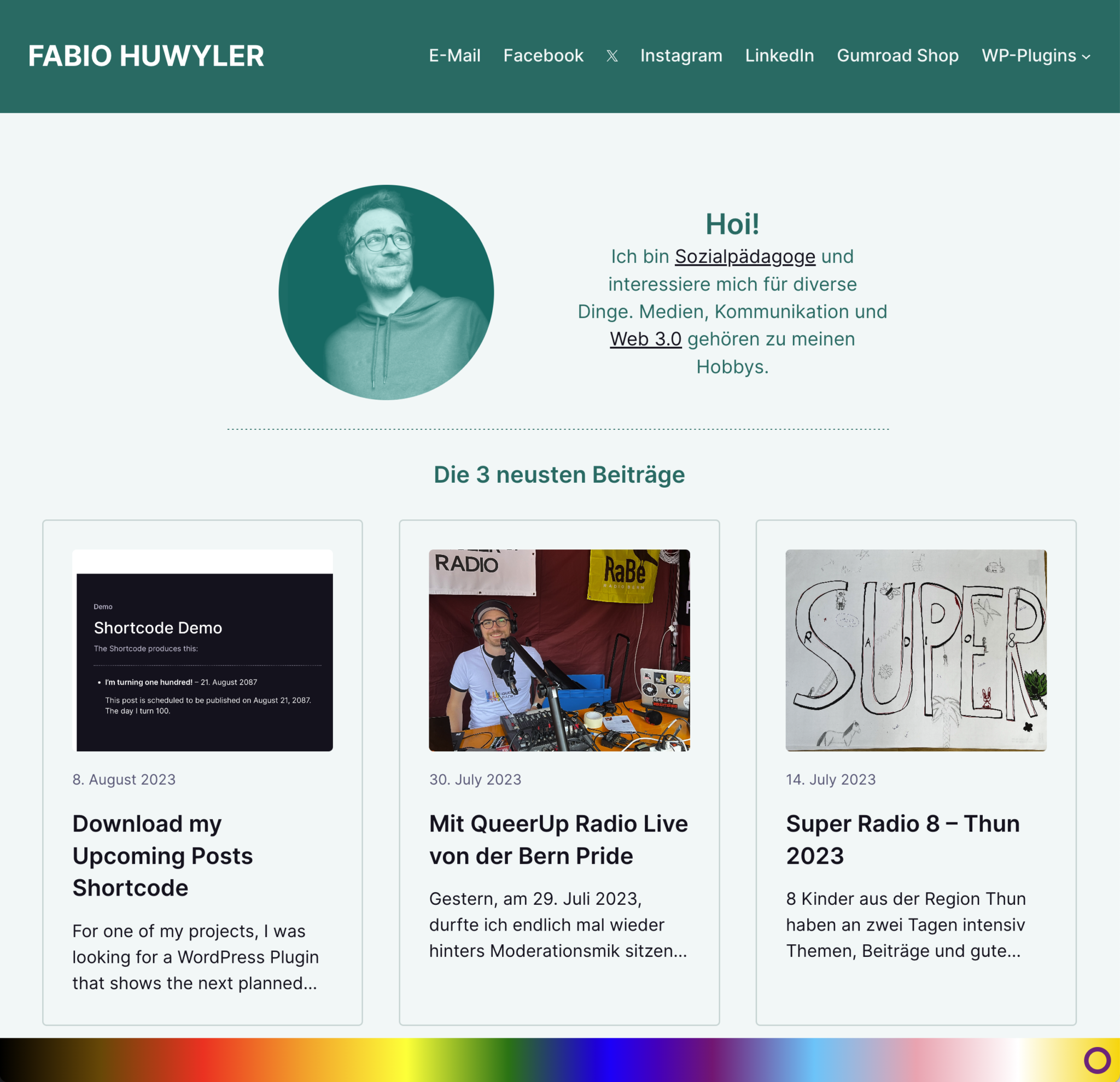
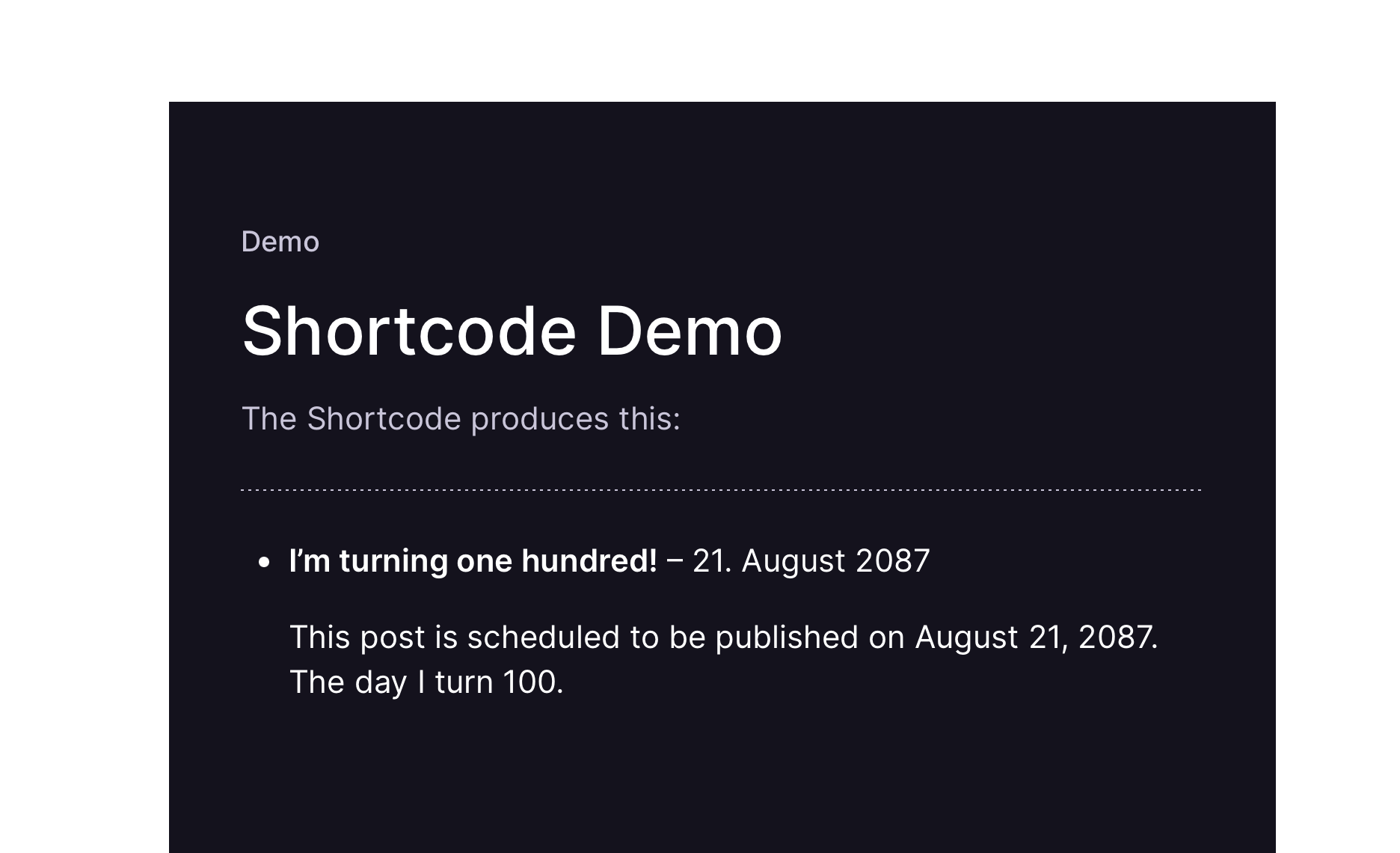
For one of my projects, I was looking for a WordPress Plugin that shows the next planned posts in a widget. The one Plugin in the WP Repository seemd too “strong” to me, I wanted something more minimalistic. So, I did my own minimalistic Plugin.
You can use it, improve on it and do with it, whatever you want.