
Project Tags: featured

  • weekfolio

    weekfolio

    Weekfolio Brings Calm to Paper Planning — Without Turning It Digital

    In a world full of productivity apps, reminders, and notifications, many people still prefer to plan their weeks on paper.
    Writing things down by hand feels slower, more deliberate, and more personal.

    The problem?

    Once the week is over, those pages are usually gone — forgotten in a drawer, a notebook, or a box on a shelf.

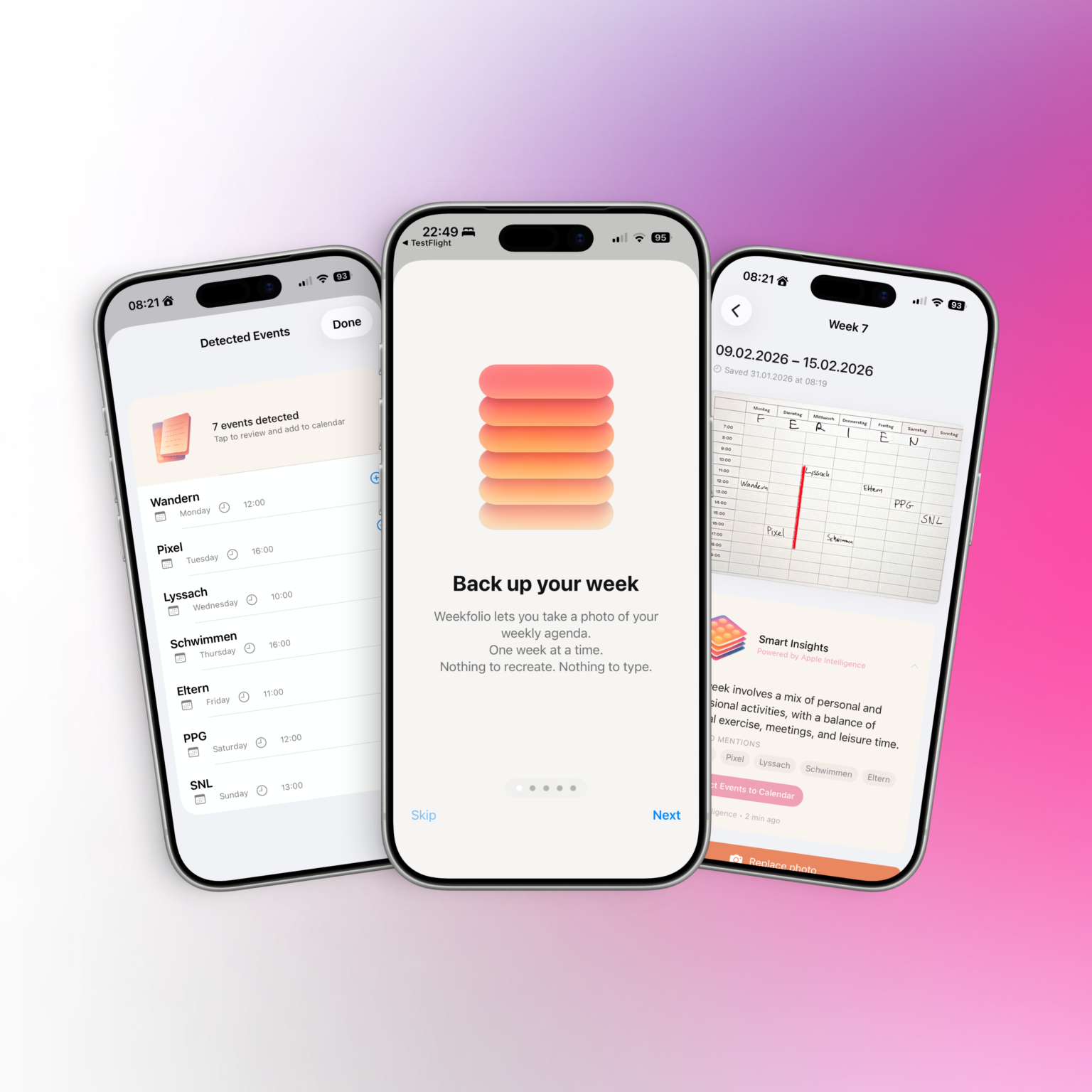
    Weekfolio is a new iOS app that quietly bridges that gap.

    Designed for Paper, Not Against It

    Weekfolio is built around a simple idea: planning on paper is already good enough.

    The app doesn’t ask users to switch systems or adopt new workflows. It respects handwriting, imperfections, crossed-out plans, and the reality that weeks rarely go exactly as planned.

    By organizing planner photos week by week, Weekfolio helps users:

    • look back at past weeks
    • search across handwritten pages
    • remember what actually happened, not just what was planned

    For supported planner layouts, the app can also recognize events written down during the week and suggest adding them to a digital calendar — always with user review and confirmation.

    Smart, but Private by Design

    On supported devices, Weekfolio can optionally use Apple Intelligence to generate gentle summaries and insights about a week — such as recurring activities or notable moments.

    Crucially, all of this happens on device.

    Planner photos are stored in the user’s personal iCloud.

    Text recognition and analysis are performed locally.

    No planner data is sent to external servers, and nothing is used to train models.

    This makes Weekfolio particularly appealing to users who care about privacy and long-term data ownership.

    Supporting Real-World Planners

    Paper planners come in many shapes and formats. Weekfolio acknowledges that reality by supporting different weekly layouts and allowing users to choose or calibrate how their planner is structured.

    The app works especially well with common weekly planners used by paper enthusiasts, including layouts with:

    • time grids
    • weekday sections
    • notes pages
    • handwritten times like “17:00 Walk”

    Rather than forcing one “correct” format, Weekfolio adapts to how people already plan.

    A Calm Alternative to Productivity Pressure

    Weekfolio is not about optimization or performance tracking.

    There are no streaks, no scores, and no judgments.

    Some weeks are full.

    Some are quiet.

    Both are worth keeping.

    By treating weeks as something to be remembered — not measured — Weekfolio positions itself as a thoughtful alternative in the productivity space.

    Availability

    It works fully without Apple Intelligence, with smart insights appearing only on supported devices.
  • Loquee

    Loquee

    Loquee

    I’ve been thinking a lot about how we stay in touch.

    Most of the apps we use today are built for visibility. They reward speed, reactions, and constant activity. And even when you care about the people you’re talking to, it can start to feel… loud. Like connection has to be performed instead of simply felt.

    Tools

    • XCode, Claude (AI)

    Client

    • Personal Project

    Loquee started as a quiet experiment:

    What would an app look like if staying connected could be more low-key?

    Not another feed. Not another place to keep up.

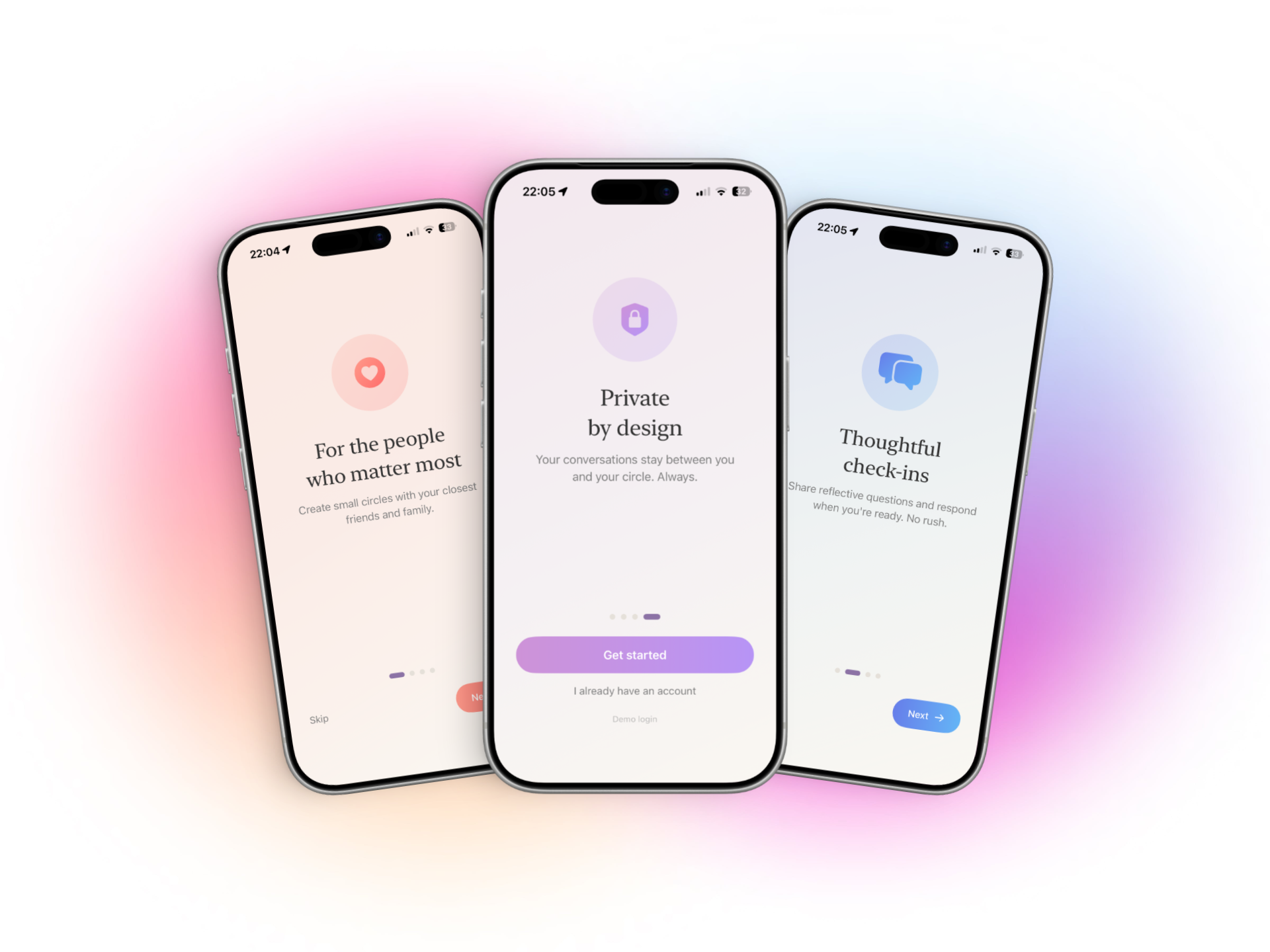
    Just a small space for small circles — a few people who matter, checking in with each other gently.

    What Loquee actually is

    Loquee isn’t social media. There are no likes, no public profiles, and no metrics to keep track of.

    Instead, you create private circles with a handful of people. Inside those circles, you’ll find simple check-ins — small prompts that make it easier to say how you’re really doing, without having to start a full conversation.

    You can respond when you want.

    You can stay quiet when you need to.

    And sometimes, just being there is enough.

    The name “Loquee” is a play on low-key — that feeling when something matters, but you don’t want to make a big deal out of it. Low-key checking in. Low-key missing someone. Low-key being present without pressure.

    How people might use Loquee

    There isn’t one “right” way to use it — and that’s kind of the point. But here are a few ideas I’ve seen or imagined:

    • Chosen family groups
      A small circle where you can check in weekly without the noise of group chats.
    • Friendships that don’t need constant texting
      People who care about each other but don’t want to keep up a fast-paced conversation.
    • Long-distance connections
      Staying emotionally close even when life gets busy.
    • Neurodivergent or low-energy spaces
      Places where replying immediately isn’t expected and silence doesn’t feel like failure.
    • Creative or reflective circles
      Sharing thoughts or moods without turning it into content.
    • Quiet support groups
      Where someone can say “I’m here” without needing to explain everything.

    You might use Loquee every day. Or once a week. Or only when you need it. That’s intentional.

    A note about privacy and technology

    I want to be transparent about how Loquee works behind the scenes.

    The app currently runs on Google Firebase, which helps handle things like secure login, data syncing, and notifications. Using Firebase allows Loquee to stay lightweight and reliable while I build and improve it.

    Importantly:

    • Your data is not tied to your personal Google account.
    • You don’t need a Google profile to use Loquee.
    • Google does not see who you are or who you’re talking to inside the app.

    I chose Firebase because it makes it possible to build something small and independent without collecting unnecessary information myself. At the same time, I know that some people feel unsure when they hear the word “Google,” and that’s completely valid.

    Nothing here is hidden — and if knowing that Loquee runs on Firebase doesn’t feel right for you, that’s okay. Transparency matters more to me than trying to convince everyone.

    Why it feels different

    Loquee starts anonymously. There are no usernames or profiles to manage. Customization focuses on the space you share together, not on presenting yourself.

    Even small details — like the way themes work or how responses are shown — are designed to avoid comparison. Everyone’s words sit next to each other equally. No one is more visible than anyone else.

    The goal isn’t engagement.

    It’s permission.

    Permission to connect in a way that feels low-key and human.

    You can try Loquee on TestFlight

    Loquee is still evolving, and I’d love to know how it feels to use in real life.

    IF YOU’RE CURIOUS, YOU CAN TEST THE CURRENT VERSION THROUGH TESTFLIGHT HERE

    It’s early, and things will change — but that’s part of the process. Feedback, quiet observations, and honest experiences all help shape where Loquee goes next.

    A small experiment

    Loquee isn’t trying to replace messaging apps or communities. It’s just a small experiment in making space for connection that doesn’t ask for more than you can give.

    If you’ve ever felt low-key overwhelmed by loud apps, or low-key wanted a softer way to stay close to people, maybe this will resonate.

    And if it doesn’t — that’s okay too.

    Thanks for being part of this little experiment.

  • Paciva

    Paciva

    Tools

    • XCode, Claude & ChatGPT (AI)

    Client

    • Personal Project

    Links

    Paciva is an iOS (and early Android) app built around a simple but difficult problem:

    How do you design software for people whose energy is not reliably self-renewing?

    This includes people with chronic illness (such as ME/CFS), neurodivergent people, and others whose daily capacity fluctuates in ways that aren’t well captured by traditional productivity or health apps.

    Instead of trying to optimize behavior, Paciva explores how to model capacity itself — and how to make that model understandable, flexible, and honest.

    The Envelope Theory

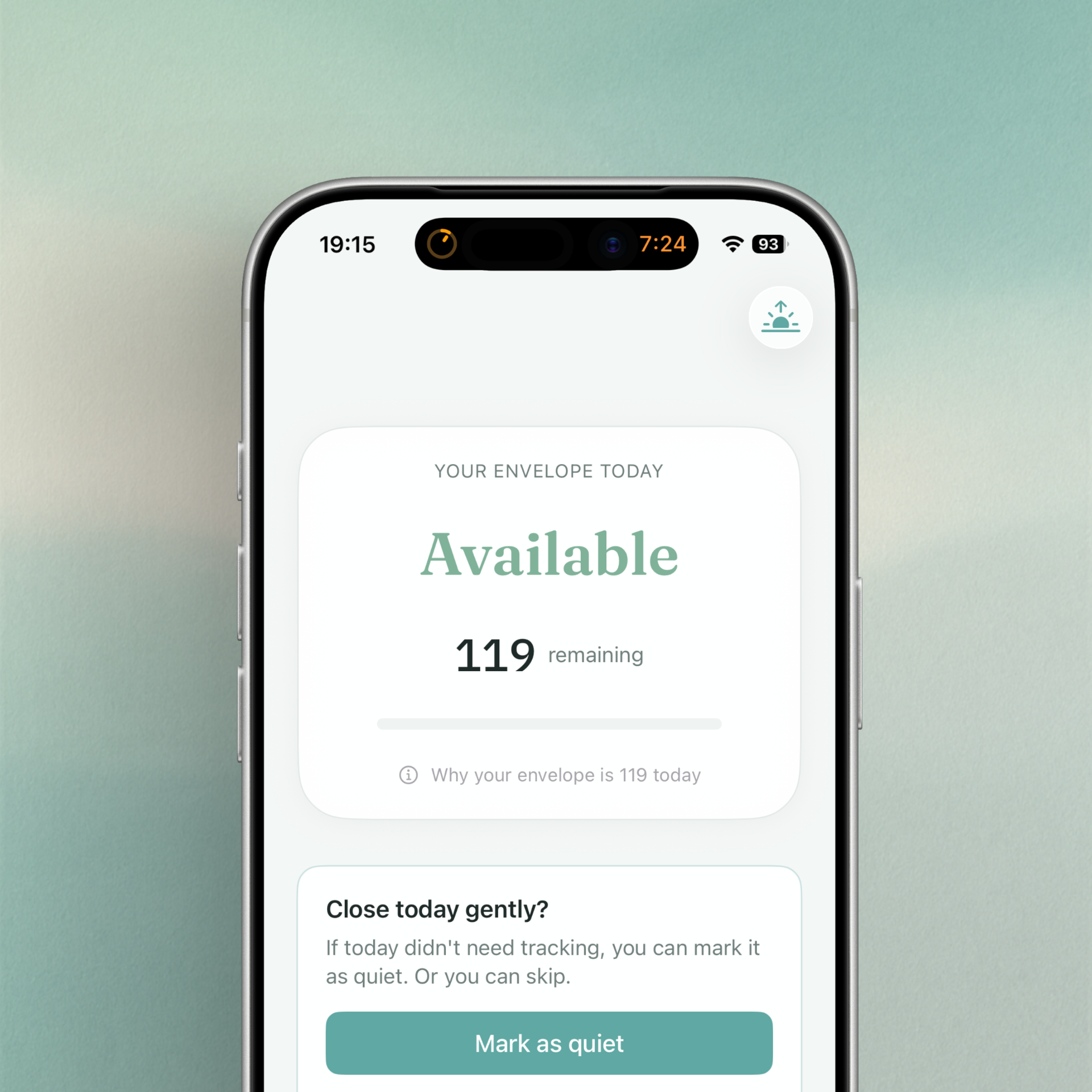
    The core idea behind Paciva is what I call the Envelope Theory.

    The theory is simple:

    • Each day has a limited, finite capacity.
    • That capacity is not fixed, predictable, or universal.
    • Spending beyond it has delayed consequences.
    • Recovery is possible, but constrained.

    Rather than treating energy as something to be maximized, the envelope acts as a boundary: a container that can be protected, depleted, or overdrawn.

    This metaphor already exists informally in concepts like pacing or spoon theory, but Paciva’s goal was to turn it into a practical, day-to-day system — without turning it into a medical model or a productivity score.

    Design Goals

    From the start, several constraints shaped the implementation:

    1. No optimization pressure
      The app should not reward “doing more” or penalize rest.
    2. No false precision
      Numbers are references, not measurements. The system must remain interpretable even when it’s “wrong”.
    3. Context-aware, not diagnosis-driven
      The same envelope model should work for different lived realities, without fragmenting into separate apps.
    4. Calibration over time
      The system should adapt gently, instead of requiring constant manual tuning.
    5. Low cognitive load
      Interactions must remain usable on low-capacity days.

    Core Model Implementation

    At the heart of Paciva is a daily envelope represented by a reference capacity (commonly shown as “100”, but intentionally personal).

    Daily capacity is derived from:

    • A baseline reference
    • Morning check-in signals (sleep, symptoms)
    • Gentle day-type modifiers
    • Historical calibration offsets

    Importantly, no single input dominates the result. This avoids dramatic swings and reinforces trust.

    Activities and rest

    Activities are logged using coarse dimensions (physical, cognitive, emotional/social, sensory), while rest is treated as recovery — but with capped effectiveness to avoid “gaming” the system.

    Recovery is intentionally limited, reflecting real-world constraints.

    Contexts Instead of Modes

    An early design mistake was treating ME/CFS and neurodivergence as separate “modes”.

    This was replaced with a context system:

    • The envelope model stays the same.
    • Contexts adjust:
      • language
      • default assumptions
      • guidance tone
      • soft constraints (e.g. recovery effectiveness)

    This allows Paciva to remain a single coherent system, while still being respectful of different experiences.

    Day Shape: Beyond “Work Day”

    Another key insight was that days don’t just differ in workload — they differ in structure.

    Paciva introduces the idea of Day Shape:

    • Open days
    • Structured days
    • Mixed days
    • Protected days

    This influences how the envelope behaves (subtly), rather than simply tagging a day as “work” or “not work”.

    From a systems perspective, this models constraint friction, not effort.

    Trust and Transparency

    A central challenge was avoiding the trap of algorithmic authority.

    Paciva explicitly communicates that:

    • The envelope is an interpretation, not a measurement.
    • The system may feel off at first.
    • Calibration requires multiple days.
    • Users remain the final authority.

    This “truth contract” is reflected in onboarding copy, guidance language, and the absence of hard goals or streaks.

    Why Implement It This Way

    The Envelope Theory works as a digital system because it:

    • Scales across different needs without branching logic explosions
    • Allows for subjective input without pretending to be objective
    • Encourages reflection rather than optimization
    • Respects uncertainty instead of hiding it

    From a technical standpoint, it’s a deliberately soft system — one that trades precision for interpretability and adaptability.

    Current State

    Paciva is now publicly available on iOS, with an early Android beta.

    👉 iOS App Store:

    https://apps.apple.com/ch/app/paciva/id6757721216

    More information about the concept, design decisions, and ongoing development is available at:

    👉 https://paciva.app

    So… What now?

    Paciva is an experiment in designing software around limits rather than potential.

    It’s not finished — and it may never be “complete” in the traditional sense — but it represents a direction I care deeply about: tools that meet people where they actually are, not where systems expect them to be.

    If that idea resonates, Paciva is the result of exploring it seriously.