Project Tags: Code

  • Festival iOS App with Backend

    Festival iOS App with Backend

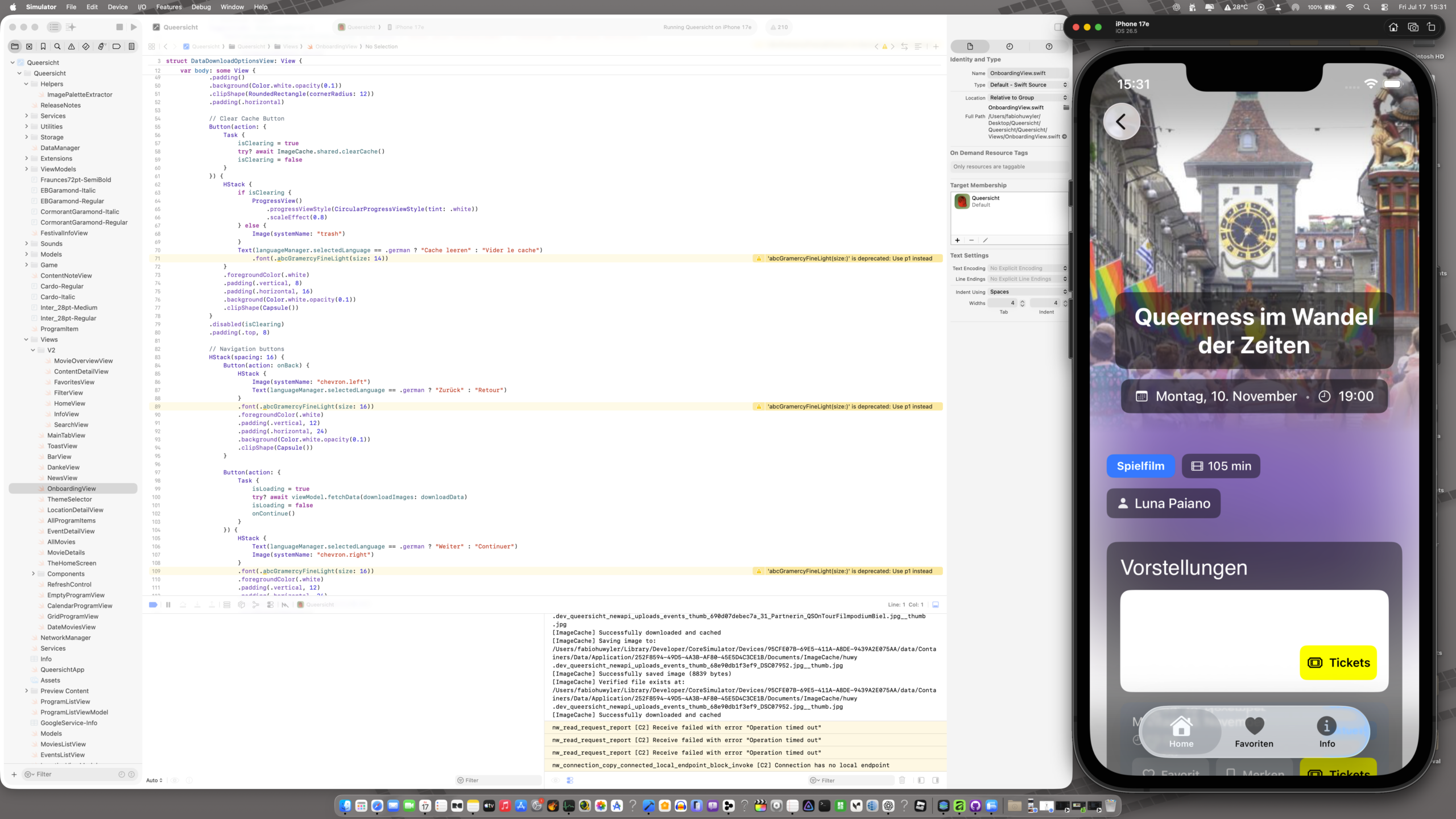
    Just open-sourced the complete Queersicht Filmfestival iOS app on GitHub. This is a full-stack SwiftUI application with PHP backend, released as-is for educational purposes and code exploration.

    Tech Stack:

    Frontend: SwiftUI (iOS 17+), MVVM architecture, async/await concurrency
    Backend: PHP 8.0+, RESTful API, MySQL/MariaDB
    Features: Offline-first architecture, multi-stage image caching, custom localization system, animated mesh gradients, match-3 mini-game with high score system

    Architecture highlights:

    MVVM pattern with reactive state management via Combine
    Three-tier caching system (memory → disk → network) for images
    Persistent JSON storage for offline functionality
    Custom theme engine with dynamic color palette switching
    Real-time language switching without app restart
    Background sync with intelligent update scheduling

    Key technical implementations:

    Custom MeshGradient animation system running at 60 FPS
    Match-3 game logic with gravity simulation and cascade detection
    REST API client with error handling and retry logic
    Smart review request system following Apple HIG guidelines
    Memory-efficient image loading with size-aware caching

    The codebase demonstrates production-ready iOS development patterns including proper error handling, state management, performance optimization, and clean architecture. Available for anyone interested in SwiftUI, offline-first mobile development, or building festival/event applications.

    Repository includes complete source code for iOS app, PHP backend, admin panel, and database schema. Fork it, study it, break it, learn from it.
  • Dark Palette WordPress Plugin

    Dark Palette WordPress Plugin

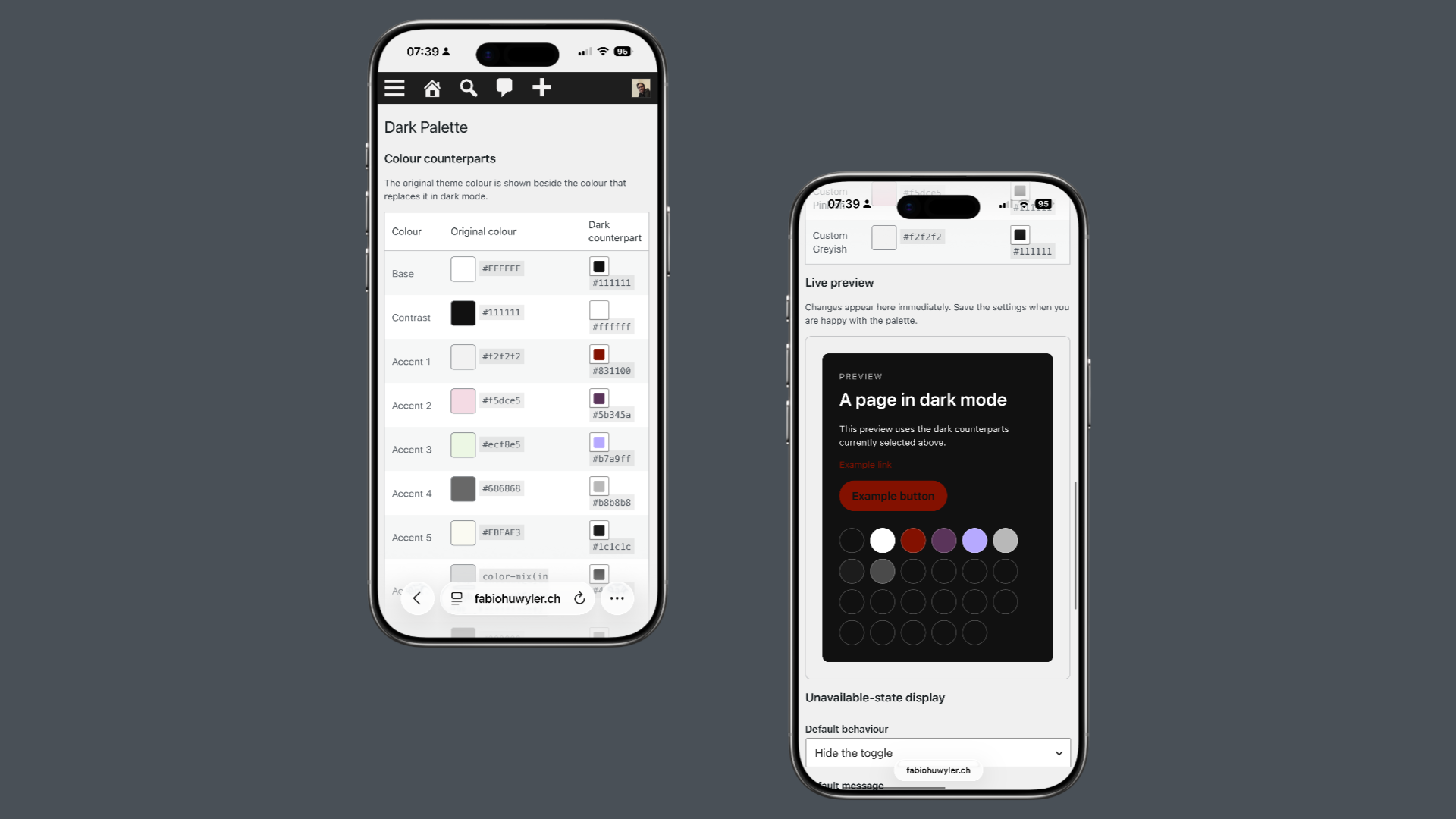
    The idea is simple: every color in a theme’s palette can have a custom dark counterpart. When visitors switch to dark mode, the plugin replaces the original palette with the dark one while keeping the site’s design intact. This approach creates a lightweight, accessible and consistent dark mode experience that feels like a natural part of WordPress.

    The plugin includes an Appearance Toggle block with Light, Dark and Auto modes, remembers visitors’ preferences and respects their operating system settings. Site owners can define custom dark colors for every palette color, disable dark mode on specific pages, templates or special areas such as search results, archive pages or the login screen, and decide how visitors are informed when dark mode is unavailable.

    Dark Palette was developed with the support of ChatGPT. I designed the concept, features, user experience and overall architecture, while ChatGPT helped me translate ideas into working code. It became a great example of how human creativity and AI-assisted development can complement each other to build thoughtful software.

  • Pebble Watchfaces and App

    Pebble Watchfaces and App

    Weird Fortune: A Watchface for the Delightfully Absurd

    Because your wrist deserves better than just telling time.

    Pebble Watchfaces and AppPebbIntroducing Weird Fortune: A Watchface for the Delightfully Absurd

    The Problem With Watchfaces

    Most watchfaces do exactly one thing: show you the time. Maybe the date. Perhaps a step count if they’re feeling fancy.

    But here’s the thing—you glance at your watch dozens of times a day. That’s dozens of tiny moments. Dozens of micro-interactions. And all you get is… numbers?

    I think your wrist deserves something weirder.

    Enter Weird Fortune

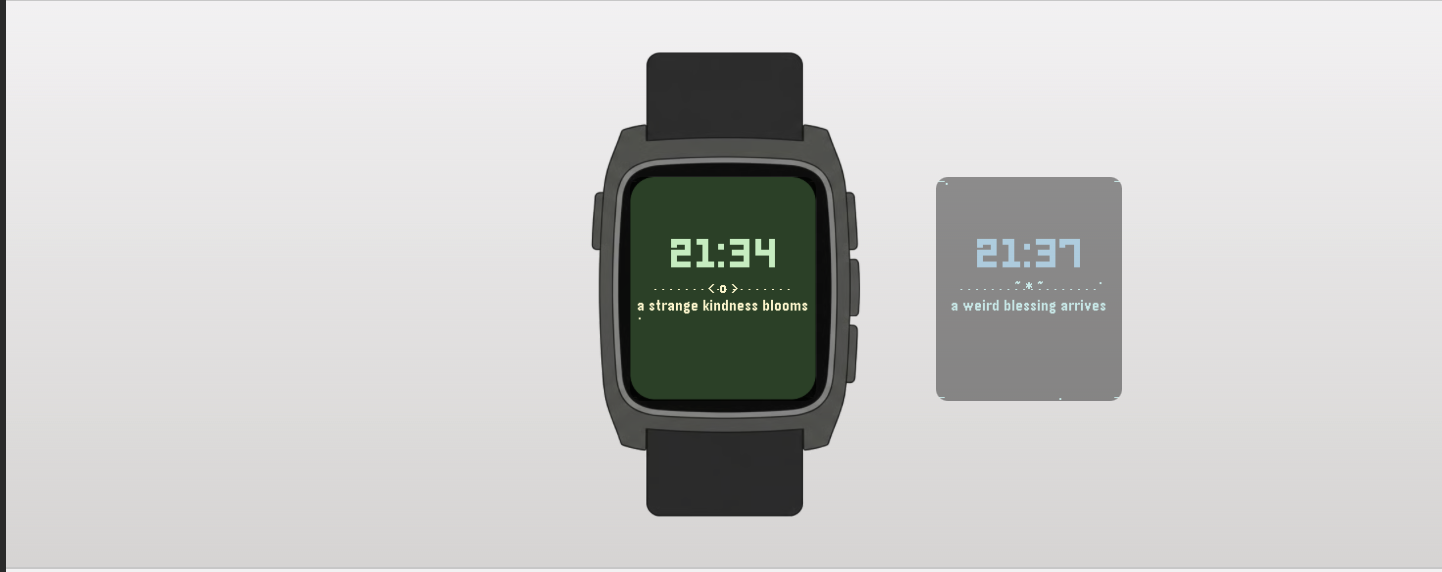
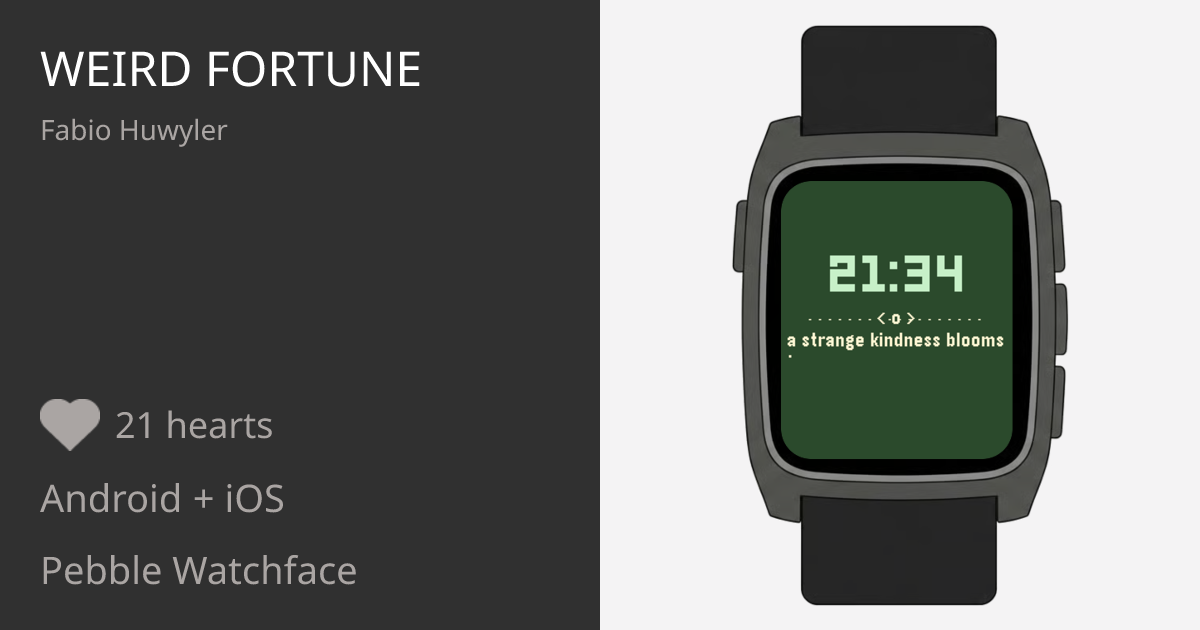
    Weird Fortune is a Pebble watchface that shows you the time and delivers a tiny, absurd fortune message every hour. Think fortune cookies, but written by someone who’s had too much coffee and not enough sleep.

    Some examples:

    • “today a pigeon respects you”
    • “avoid dramatic sandwiches”
    • “the vibes are oddly premium”
    • “do not trust that banana”

    Are they useful? Absolutely not. Are they delightful? Absolutely yes!

    The Details (For Those Who Care)

    I didn’t just slap text on a screen. Weird Fortune is designed to feel alive:

    Blinking Colon

    The classic digital watch effect. Simple, nostalgic, satisfying.

    Typewriter Effect

    When a new fortune appears, it types itself out letter by letter. Because drama.

    Floating Particles

    Tiny dots drift lazily across the background. Ambient. Meditative. Slightly hypnotic.

    Animated Corners

    Subtle L-shaped brackets pulse gently in each corner, giving the whole thing a “mystical portal” energy without being obnoxious about it.

    Color Themes

    On color Pebbles, the watchface cycles through 8 carefully chosen palettes—from “Retro Magic” (imperial purple + melon) to “Cyber Blue” (black + electric blue). Each theme brings its own mood. The theme changes every hour, or whenever you return to the watchface.

    Works Everywhere

    Rectangular Pebbles. Round Pebbles. Color Pebbles. Black-and-white Pebbles.

    Why “Weird”?

    Because the world has enough serious things. Your watch doesn’t need to be one of them.

    Weird Fortune is for people who:

    • Appreciate a good non-sequitur
    • Find joy in small, strange moments
    • Want their technology to make them smile instead of stress them out
    • Believe that “your aura needs snacks” is genuinely good advice

    The Philosophy

    There’s a design principle: glanceable delight.

    You should be able to look at your watch, get the time instantly, and walk away with a tiny spark of something—amusement, confusion, a slight head-tilt. The fortune shouldn’t demand attention. It should reward it.

    That’s why the layout is minimal. The time is big and bold. The fortune sits below, patient, waiting for you to notice it. No clutter. No complications. Just time + tiny weird wisdom.

    Technical Notes (For the Nerds)

    • Built with Pebble SDK 3 in C
    • ~650 lines of code
    • 6 floating particles with wrap-around physics
    • 50+ handcrafted fortune messages
    • Typewriter animation at 50ms per character
    • Corner brackets pulse on a 5-phase cycle
    • Full support for clock_is_24h_style()
    • Memory footprint under 6KB RAM

    Get It

    Weird Fortune is available now on the Pebble appstore.

    Install it. Wear it. Let a pigeon respect you.


    P.S. — If you have fortune suggestions, I’m listening. The weirder, the better.

  • weekfolio

    weekfolio

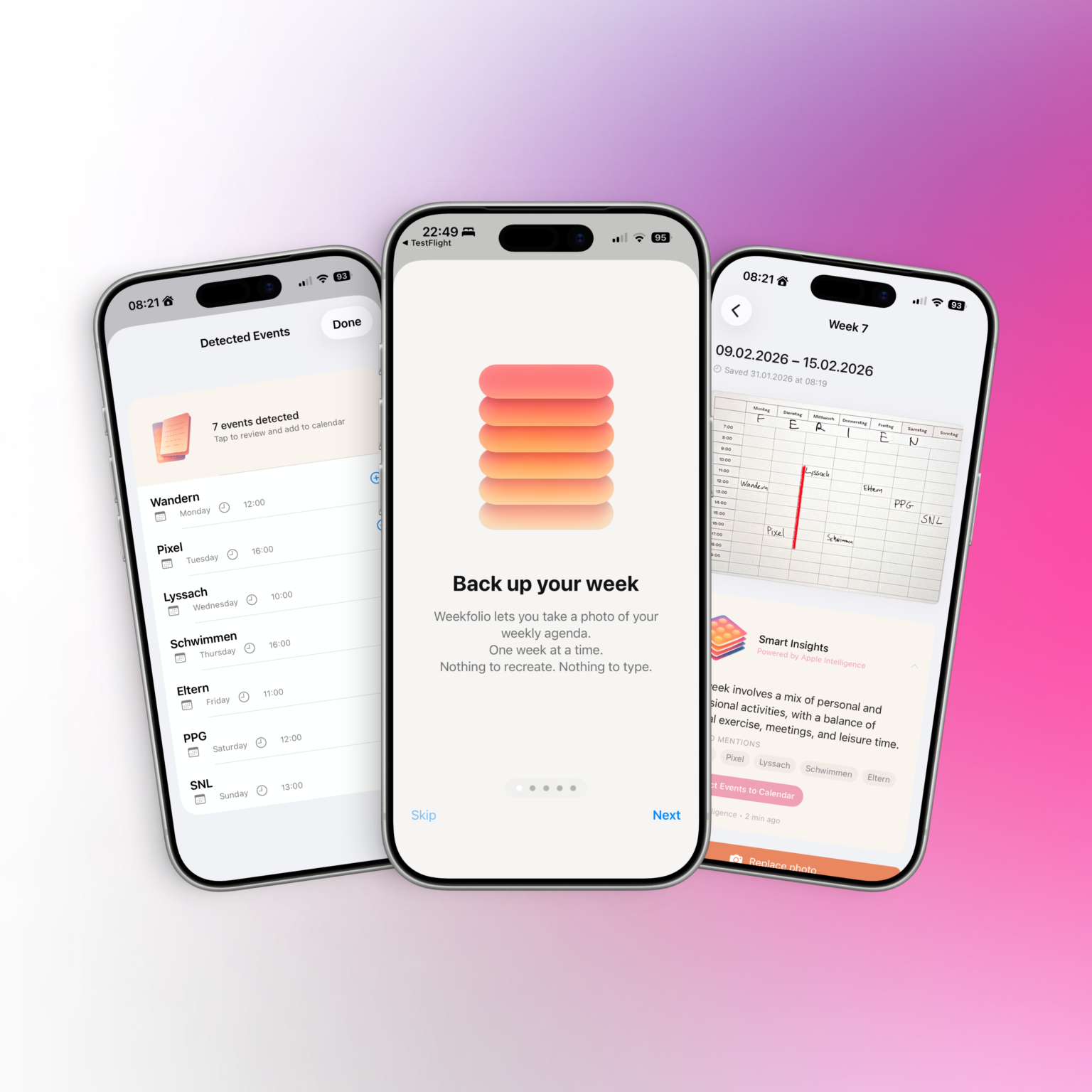
    Weekfolio Brings Calm to Paper Planning — Without Turning It Digital

    In a world full of productivity apps, reminders, and notifications, many people still prefer to plan their weeks on paper.
    Writing things down by hand feels slower, more deliberate, and more personal.

    The problem?

    Once the week is over, those pages are usually gone — forgotten in a drawer, a notebook, or a box on a shelf.

    Weekfolio is a new iOS app that quietly bridges that gap.

    Designed for Paper, Not Against It

    Weekfolio is built around a simple idea: planning on paper is already good enough.

    The app doesn’t ask users to switch systems or adopt new workflows. It respects handwriting, imperfections, crossed-out plans, and the reality that weeks rarely go exactly as planned.

    By organizing planner photos week by week, Weekfolio helps users:

    • look back at past weeks
    • search across handwritten pages
    • remember what actually happened, not just what was planned

    For supported planner layouts, the app can also recognize events written down during the week and suggest adding them to a digital calendar — always with user review and confirmation.

    Smart, but Private by Design

    On supported devices, Weekfolio can optionally use Apple Intelligence to generate gentle summaries and insights about a week — such as recurring activities or notable moments.

    Crucially, all of this happens on device.

    Planner photos are stored in the user’s personal iCloud.

    Text recognition and analysis are performed locally.

    No planner data is sent to external servers, and nothing is used to train models.

    This makes Weekfolio particularly appealing to users who care about privacy and long-term data ownership.

    Supporting Real-World Planners

    Paper planners come in many shapes and formats. Weekfolio acknowledges that reality by supporting different weekly layouts and allowing users to choose or calibrate how their planner is structured.

    The app works especially well with common weekly planners used by paper enthusiasts, including layouts with:

    • time grids
    • weekday sections
    • notes pages
    • handwritten times like “17:00 Walk”

    Rather than forcing one “correct” format, Weekfolio adapts to how people already plan.

    A Calm Alternative to Productivity Pressure

    Weekfolio is not about optimization or performance tracking.

    There are no streaks, no scores, and no judgments.

    Some weeks are full.

    Some are quiet.

    Both are worth keeping.

    By treating weeks as something to be remembered — not measured — Weekfolio positions itself as a thoughtful alternative in the productivity space.

    Availability

    It works fully without Apple Intelligence, with smart insights appearing only on supported devices.

  • Chorly

    Chorly

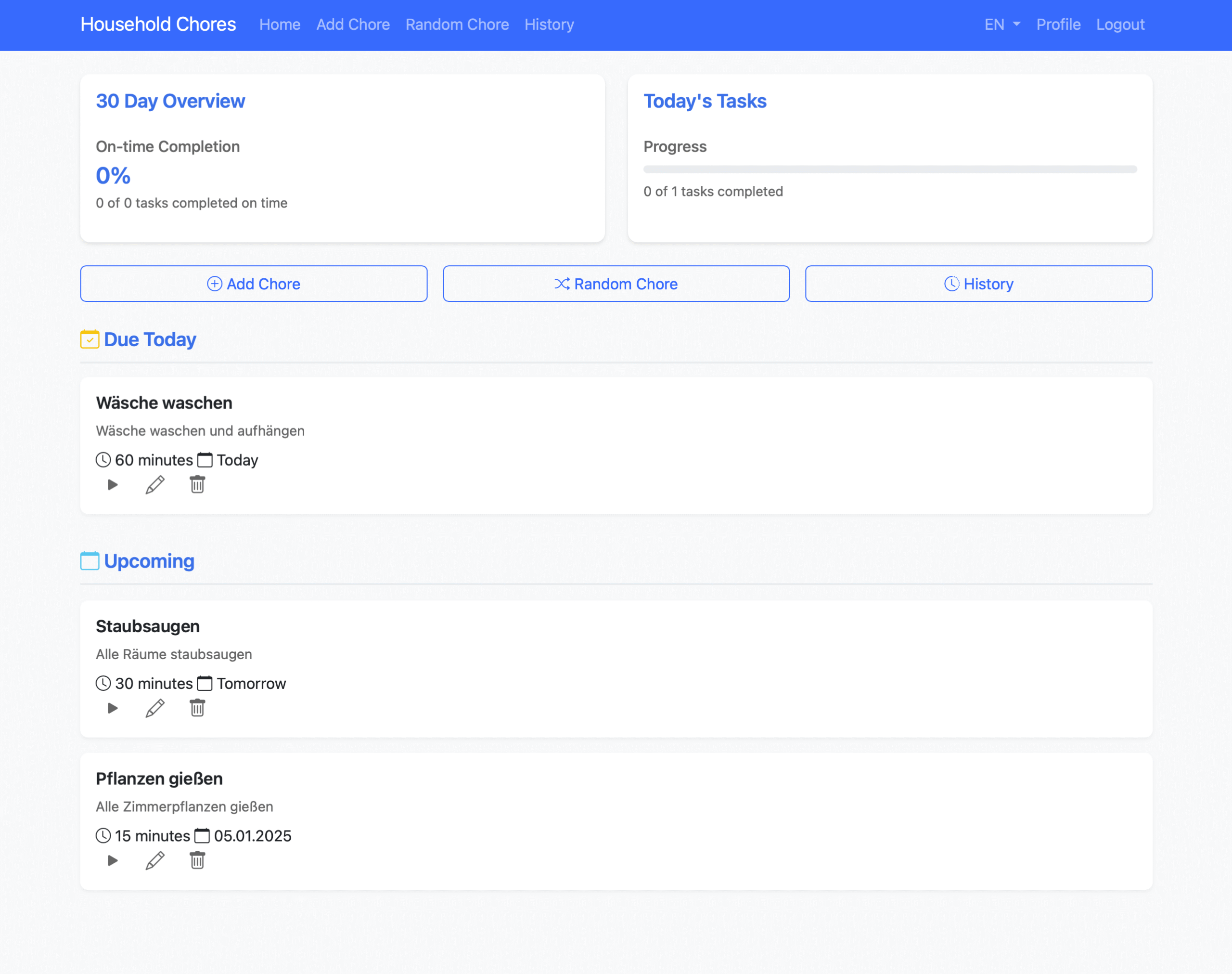
    Tired of messy chore schedules? Meet Chorly! 🏠✨

    Chorly is the ultimate web app for hassle-free chore management. Whether you’re running a household or managing a team, Chorly makes organizing tasks easy and efficient. With features like random chore assignment, task tracking, and multilingual support, you’ll never miss a chore again.

    ✅ Assign chores in seconds

    ✅ Track progress effortlessly

    ✅ Say goodbye to task confusion

    Start simplifying your life today with Chorly! 🚀

    You can install Chorly in your own Server. You’ll find instructions on GitHub.


    Download Chorly on GitHub


    Try the Demo

    User: user
    Pass: password
    -> Or you can register with your own credentials

    ChoreMind – Chorlys bigger Sister

    ChoreMind.com is based on Chorly

  • Rainbow Display Plugin

    Rainbow Display Plugin

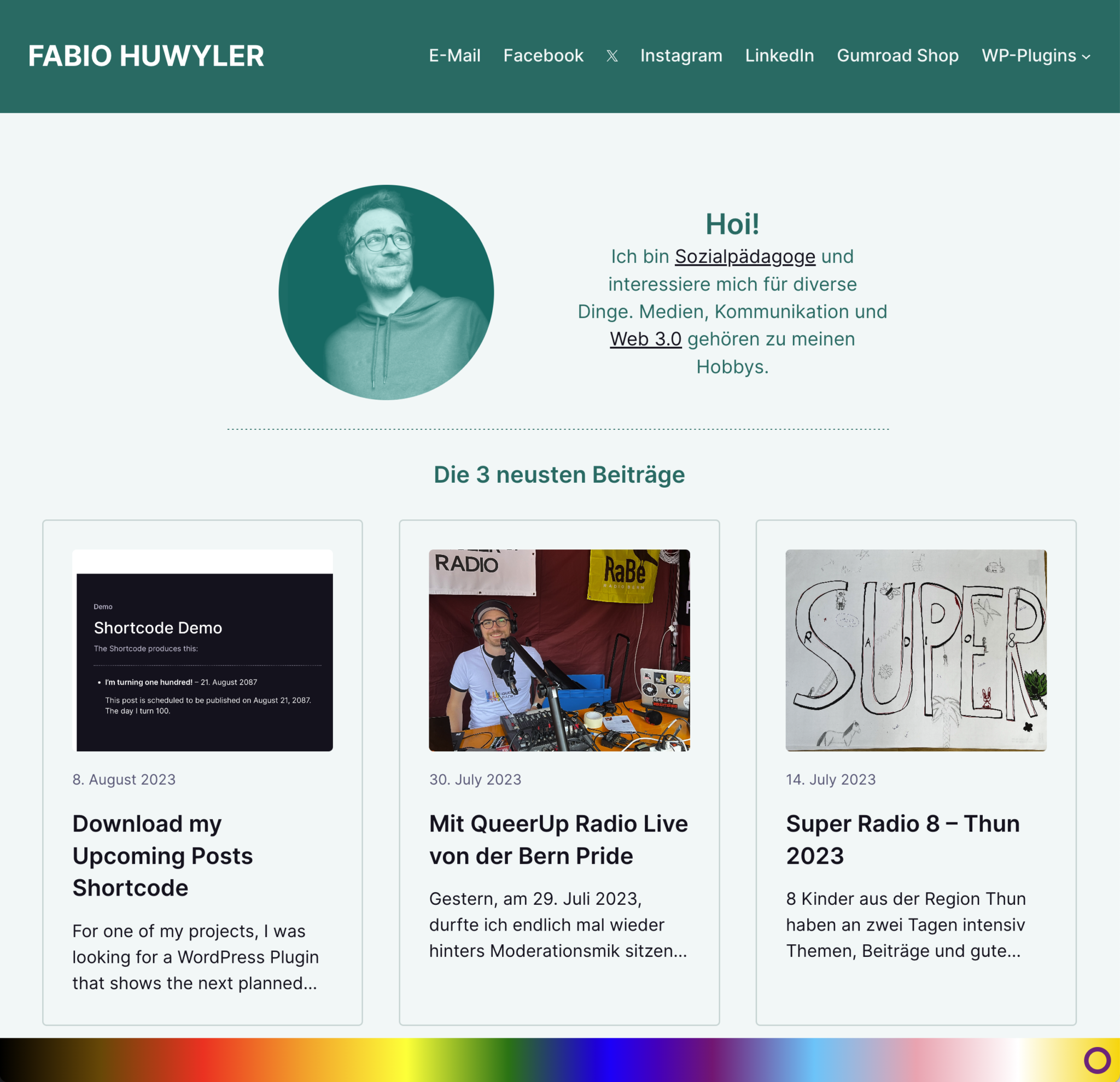
    Display the inclusive rainbow-colors on your website.

    Queer Support is important. And this plugin is an easy way to show your support for queer people or to show your pride.

    The rainbow is placed on the bottom of the screen. Doesn’t matter how big the screen is. It’s responsive.

    DOWNLOAD


    How to use the plugin

    • Download the plugin
    • Install and Activate:
      • Install it via the WordPress Plugin Installer.  Plugins -> Install -> Upload the ZIP
      • Activate it
    • Use the plugin
      All available options are located in “Settings” -> “Rainbow Display”
      • Decide, where to show the rainbow.
        You can show the rainbow either on every page or only on your Frontpage.
      • Decide, how big the rainbow should be
        You can decide between the heights 30px – 100px.

    Changelog

    #Version 1.1 (August 12, 2023)
    - It's now possible to change
    the height of the rainbow.

    #Version 1.0 (August 12, 2023)
    Initial Release
  • Upcoming Posts Shortcode

    Upcoming Posts Shortcode

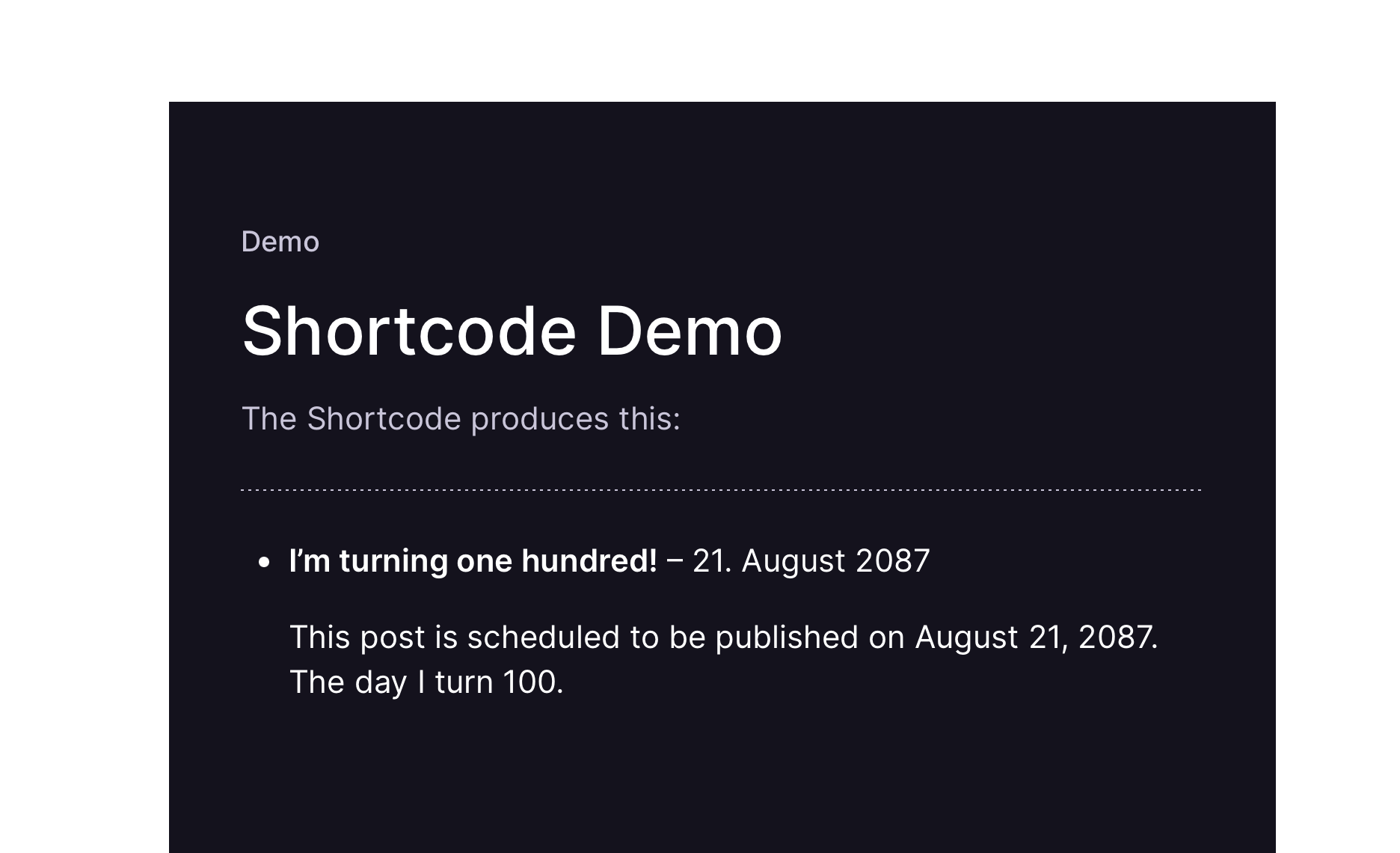
    A shortcode, showing planned posts.


    For one of my projects, I was looking for a WordPress Plugin that shows the next planned posts in a widget. The one Plugin in the WP Repository seemd too “strong” to me, I wanted something more minimalistic. 
    So, I did my own minimalistic Plugin. 

    You can use it, improve on it and do with it, whatever you want.


    Demo of the Plugin

    [upcoming_posts]


    How to use the Shortcode

    Download the plugin
    This link will always let you download the latest version of the plugin

    Install & Activate
    Install it via the WordPress Plugin Installer. 
    Plugins -> Install -> Upload the ZIP
    -> Activate it

    Use the shortcode
    The Shortcode is: 

    [upcoming_posts]

    If you are using the Classic Editor: 
    Just put in the shortcode.

    If you are using the Gutenberg Editor:
    Add a shortcode-block and paste in the shortcode. 

    By default, it will show the next 5 upcoming posts. If you want to show a different number, use the numberposts attribute, e.g. 

    [upcoming_posts numberposts="10"]

    I am working on a Version of this plugin that is a Block.
    With it, you can place a block in the Gutenberg Editor.