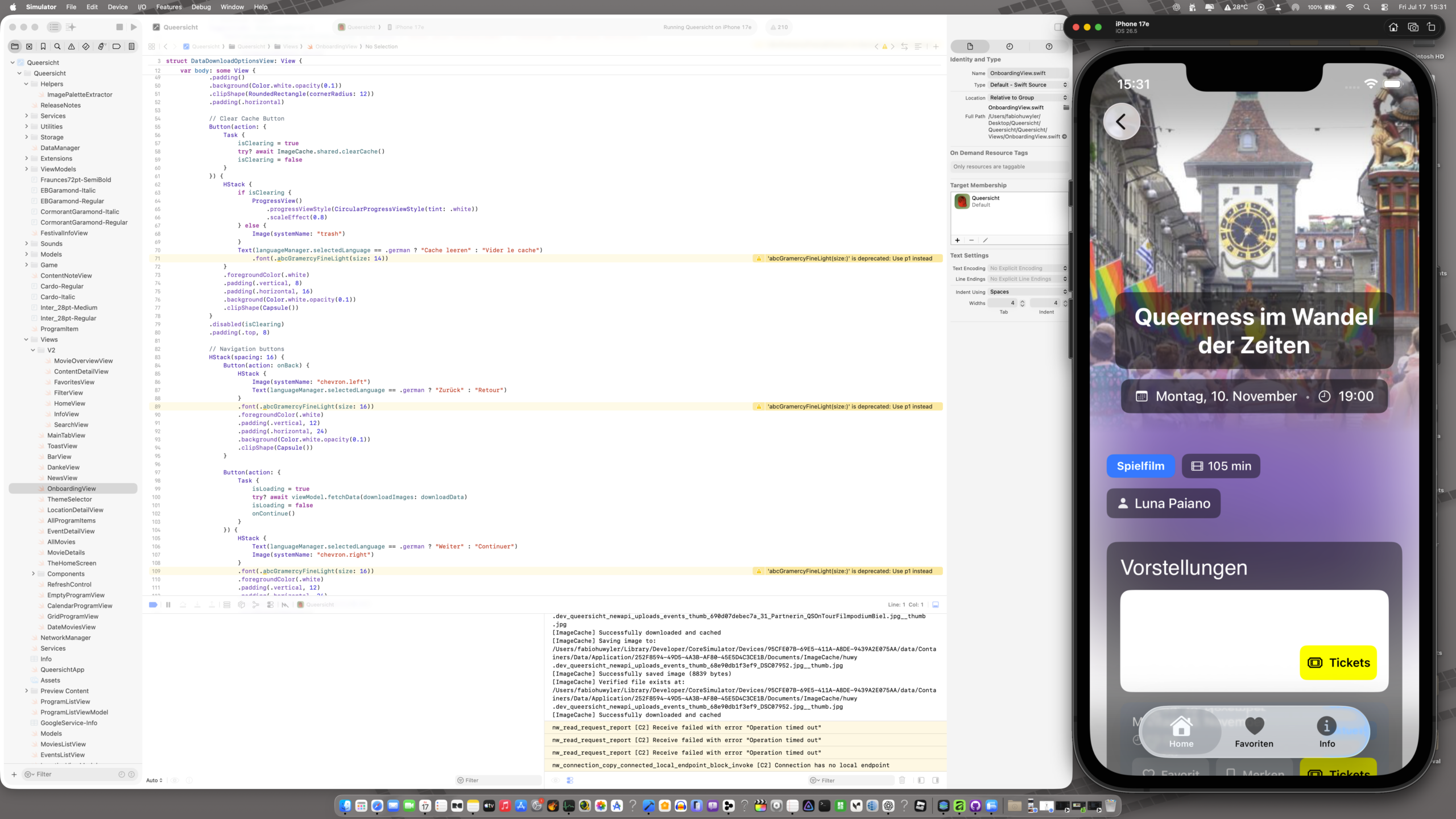
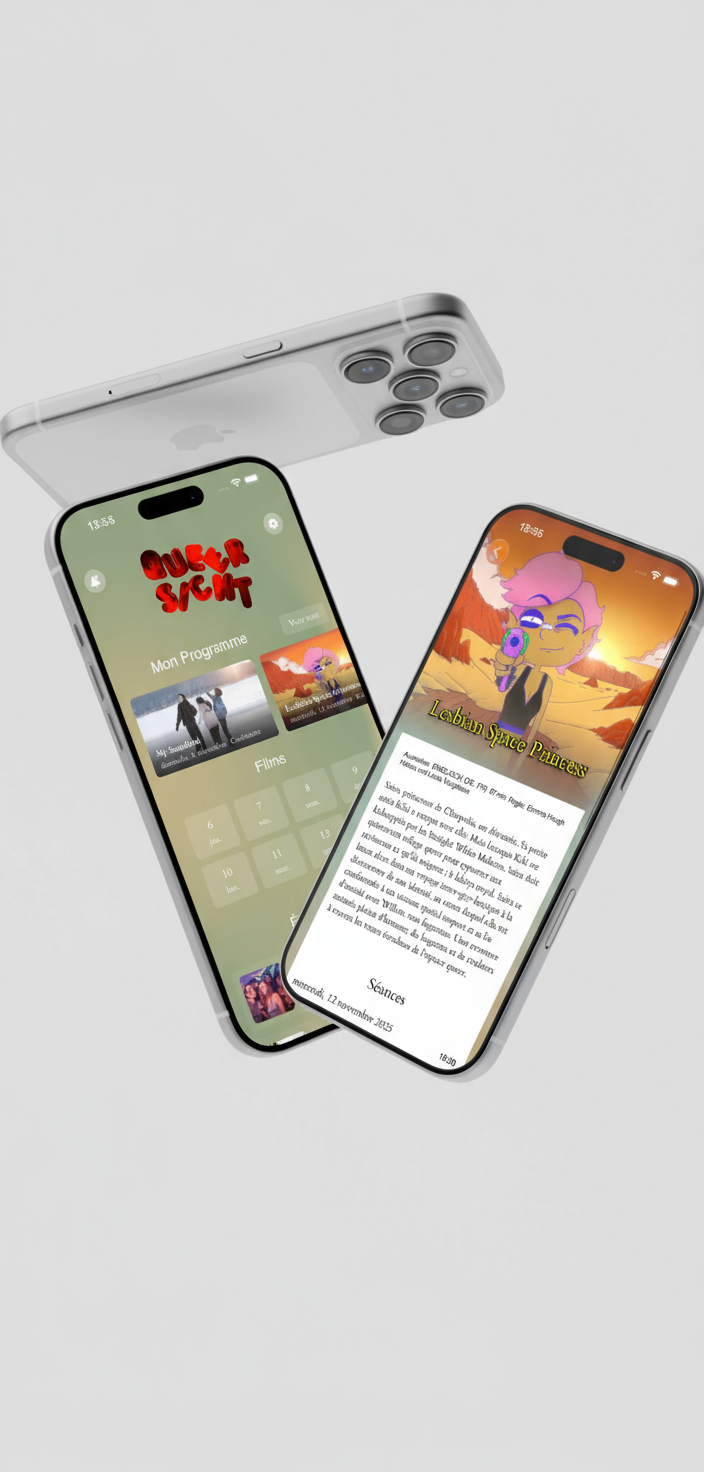
Just open-sourced the complete Queersicht Filmfestival iOS app on GitHub. This is a full-stack SwiftUI application with PHP backend, released as-is for educational purposes and code exploration.
MVVM pattern with reactive state management via Combine Three-tier caching system (memory → disk → network) for images Persistent JSON storage for offline functionality Custom theme engine with dynamic color palette switching Real-time language switching without app restart Background sync with intelligent update scheduling
Key technical implementations:
Custom MeshGradient animation system running at 60 FPS Match-3 game logic with gravity simulation and cascade detection REST API client with error handling and retry logic Smart review request system following Apple HIG guidelines Memory-efficient image loading with size-aware caching
The codebase demonstrates production-ready iOS development patterns including proper error handling, state management, performance optimization, and clean architecture. Available for anyone interested in SwiftUI, offline-first mobile development, or building festival/event applications.
Repository includes complete source code for iOS app, PHP backend, admin panel, and database schema. Fork it, study it, break it, learn from it.
Pebble Watchfaces and AppPebbIntroducing Weird Fortune: A Watchface for the Delightfully Absurd
The Problem With Watchfaces
Most watchfaces do exactly one thing: show you the time. Maybe the date. Perhaps a step count if they’re feeling fancy.
But here’s the thing—you glance at your watch dozens of times a day. That’s dozens of tiny moments. Dozens of micro-interactions. And all you get is… numbers?
I think your wrist deserves something weirder.
Enter Weird Fortune
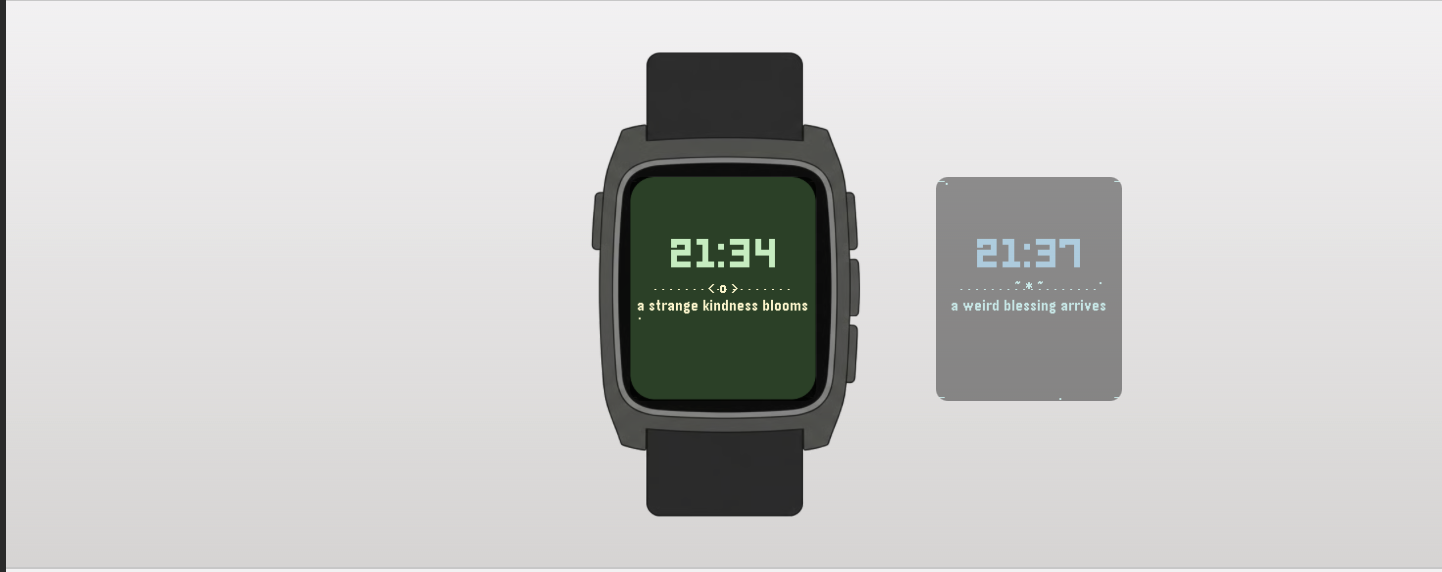
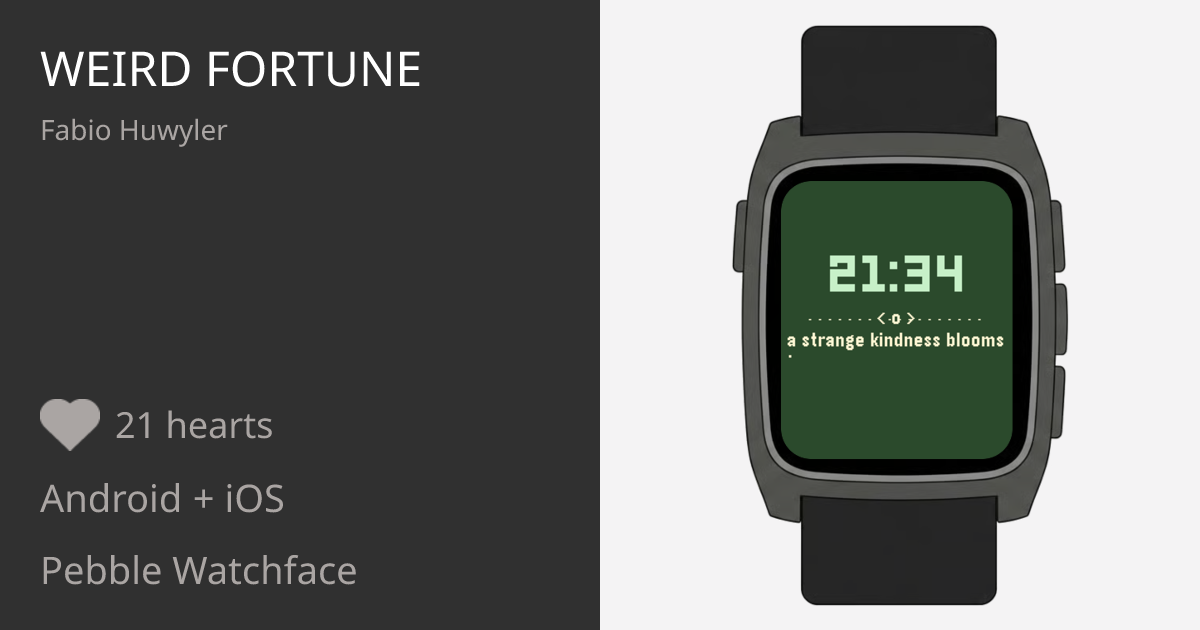
Weird Fortune is a Pebble watchface that shows you the time and delivers a tiny, absurd fortune message every hour. Think fortune cookies, but written by someone who’s had too much coffee and not enough sleep.
Some examples:
“today a pigeon respects you”
“avoid dramatic sandwiches”
“the vibes are oddly premium”
“do not trust that banana”
Are they useful? Absolutely not. Are they delightful? Absolutely yes!
The Details (For Those Who Care)
I didn’t just slap text on a screen. Weird Fortune is designed to feel alive:
Blinking Colon
The classic digital watch effect. Simple, nostalgic, satisfying.
Typewriter Effect
When a new fortune appears, it types itself out letter by letter. Because drama.
Floating Particles
Tiny dots drift lazily across the background. Ambient. Meditative. Slightly hypnotic.
Animated Corners
Subtle L-shaped brackets pulse gently in each corner, giving the whole thing a “mystical portal” energy without being obnoxious about it.
Color Themes
On color Pebbles, the watchface cycles through 8 carefully chosen palettes—from “Retro Magic” (imperial purple + melon) to “Cyber Blue” (black + electric blue). Each theme brings its own mood. The theme changes every hour, or whenever you return to the watchface.
Works Everywhere
Rectangular Pebbles. Round Pebbles. Color Pebbles. Black-and-white Pebbles.
Why “Weird”?
Because the world has enough serious things. Your watch doesn’t need to be one of them.
Weird Fortune is for people who:
Appreciate a good non-sequitur
Find joy in small, strange moments
Want their technology to make them smile instead of stress them out
Believe that “your aura needs snacks” is genuinely good advice
The Philosophy
There’s a design principle: glanceable delight.
You should be able to look at your watch, get the time instantly, and walk away with a tiny spark of something—amusement, confusion, a slight head-tilt. The fortune shouldn’t demand attention. It should reward it.
That’s why the layout is minimal. The time is big and bold. The fortune sits below, patient, waiting for you to notice it. No clutter. No complications. Just time + tiny weird wisdom.
Weekfolio Brings Calm to Paper Planning — Without Turning It Digital
In a world full of productivity apps, reminders, and notifications, many people still prefer to plan their weeks on paper. Writing things down by hand feels slower, more deliberate, and more personal.
The problem?
Once the week is over, those pages are usually gone — forgotten in a drawer, a notebook, or a box on a shelf.
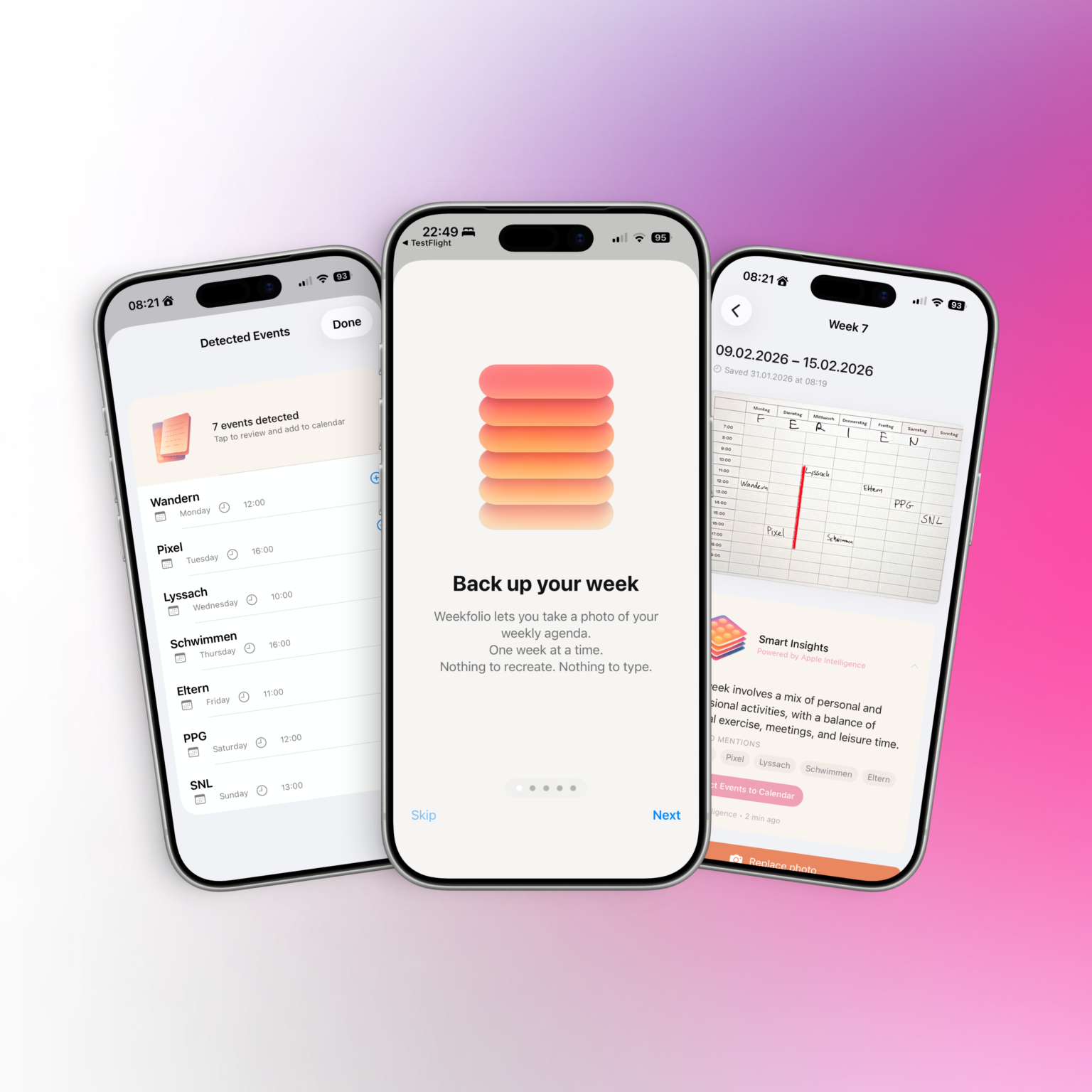
Weekfolio is a new iOS app that quietly bridges that gap.
Designed for Paper, Not Against It
Weekfolio is built around a simple idea: planning on paper is already good enough.
The app doesn’t ask users to switch systems or adopt new workflows. It respects handwriting, imperfections, crossed-out plans, and the reality that weeks rarely go exactly as planned.
By organizing planner photos week by week, Weekfolio helps users:
look back at past weeks
search across handwritten pages
remember what actually happened, not just what was planned
For supported planner layouts, the app can also recognize events written down during the week and suggest adding them to a digital calendar — always with user review and confirmation.
Smart, but Private by Design
On supported devices, Weekfolio can optionally use Apple Intelligence to generate gentle summaries and insights about a week — such as recurring activities or notable moments.
Crucially, all of this happens on device.
Planner photos are stored in the user’s personal iCloud.
Text recognition and analysis are performed locally.
No planner data is sent to external servers, and nothing is used to train models.
This makes Weekfolio particularly appealing to users who care about privacy and long-term data ownership.
Supporting Real-World Planners
Paper planners come in many shapes and formats. Weekfolio acknowledges that reality by supporting different weekly layouts and allowing users to choose or calibrate how their planner is structured.
The app works especially well with common weekly planners used by paper enthusiasts, including layouts with:
time grids
weekday sections
notes pages
handwritten times like “17:00 Walk”
Rather than forcing one “correct” format, Weekfolio adapts to how people already plan.
A Calm Alternative to Productivity Pressure
Weekfolio is not about optimization or performance tracking.
There are no streaks, no scores, and no judgments.
Some weeks are full.
Some are quiet.
Both are worth keeping.
By treating weeks as something to be remembered — not measured — Weekfolio positions itself as a thoughtful alternative in the productivity space.
Availability
It works fully without Apple Intelligence, with smart insights appearing only on supported devices.
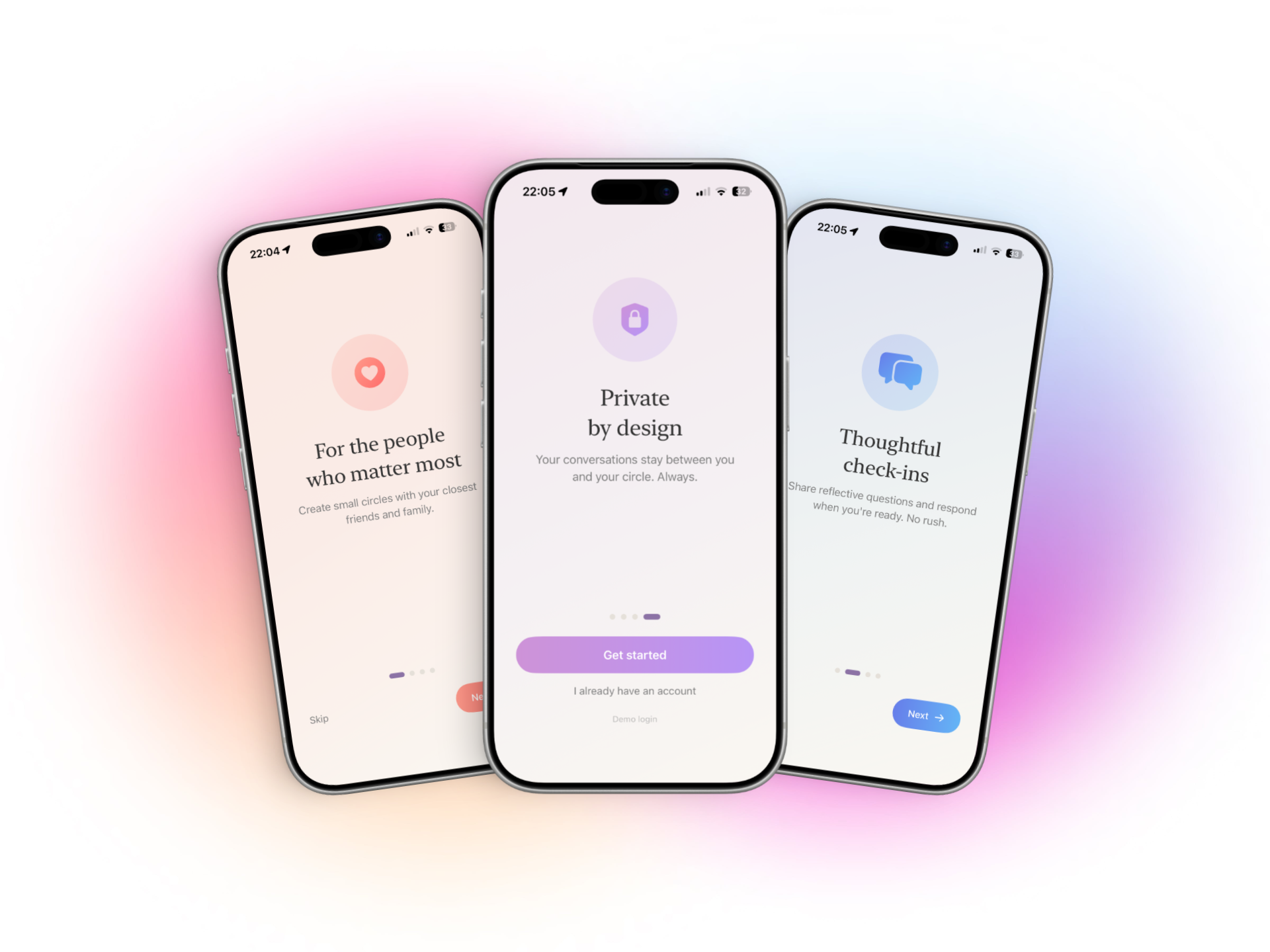
I’ve been thinking a lot about how we stay in touch.
Most of the apps we use today are built for visibility. They reward speed, reactions, and constant activity. And even when you care about the people you’re talking to, it can start to feel… loud. Like connection has to be performed instead of simply felt.
What would an app look like if staying connected could be more low-key?
Not another feed. Not another place to keep up.
Just a small space for small circles — a few people who matter, checking in with each other gently.
What Loquee actually is
Loquee isn’t social media. There are no likes, no public profiles, and no metrics to keep track of.
Instead, you create private circles with a handful of people. Inside those circles, you’ll find simple check-ins — small prompts that make it easier to say how you’re really doing, without having to start a full conversation.
You can respond when you want.
You can stay quiet when you need to.
And sometimes, just being there is enough.
The name “Loquee” is a play on low-key — that feeling when something matters, but you don’t want to make a big deal out of it. Low-key checking in. Low-key missing someone. Low-key being present without pressure.
How people might use Loquee
There isn’t one “right” way to use it — and that’s kind of the point. But here are a few ideas I’ve seen or imagined:
Chosen family groups A small circle where you can check in weekly without the noise of group chats.
Friendships that don’t need constant texting People who care about each other but don’t want to keep up a fast-paced conversation.
Long-distance connections Staying emotionally close even when life gets busy.
Neurodivergent or low-energy spaces Places where replying immediately isn’t expected and silence doesn’t feel like failure.
Creative or reflective circles Sharing thoughts or moods without turning it into content.
Quiet support groups Where someone can say “I’m here” without needing to explain everything.
You might use Loquee every day. Or once a week. Or only when you need it. That’s intentional.
A note about privacy and technology
I want to be transparent about how Loquee works behind the scenes.
The app currently runs on Google Firebase, which helps handle things like secure login, data syncing, and notifications. Using Firebase allows Loquee to stay lightweight and reliable while I build and improve it.
Importantly:
Your data is not tied to your personal Google account.
You don’t need a Google profile to use Loquee.
Google does not see who you are or who you’re talking to inside the app.
I chose Firebase because it makes it possible to build something small and independent without collecting unnecessary information myself. At the same time, I know that some people feel unsure when they hear the word “Google,” and that’s completely valid.
Nothing here is hidden — and if knowing that Loquee runs on Firebase doesn’t feel right for you, that’s okay. Transparency matters more to me than trying to convince everyone.
Why it feels different
Loquee starts anonymously. There are no usernames or profiles to manage. Customization focuses on the space you share together, not on presenting yourself.
Even small details — like the way themes work or how responses are shown — are designed to avoid comparison. Everyone’s words sit next to each other equally. No one is more visible than anyone else.
The goal isn’t engagement.
It’s permission.
Permission to connect in a way that feels low-key and human.
You can try Loquee on TestFlight
Loquee is still evolving, and I’d love to know how it feels to use in real life.
It’s early, and things will change — but that’s part of the process. Feedback, quiet observations, and honest experiences all help shape where Loquee goes next.
A small experiment
Loquee isn’t trying to replace messaging apps or communities. It’s just a small experiment in making space for connection that doesn’t ask for more than you can give.
If you’ve ever felt low-key overwhelmed by loud apps, or low-key wanted a softer way to stay close to people, maybe this will resonate.
Paciva is an iOS (and early Android) app built around a simple but difficult problem:
How do you design software for people whose energy is not reliably self-renewing?
This includes people with chronic illness (such as ME/CFS), neurodivergent people, and others whose daily capacity fluctuates in ways that aren’t well captured by traditional productivity or health apps.
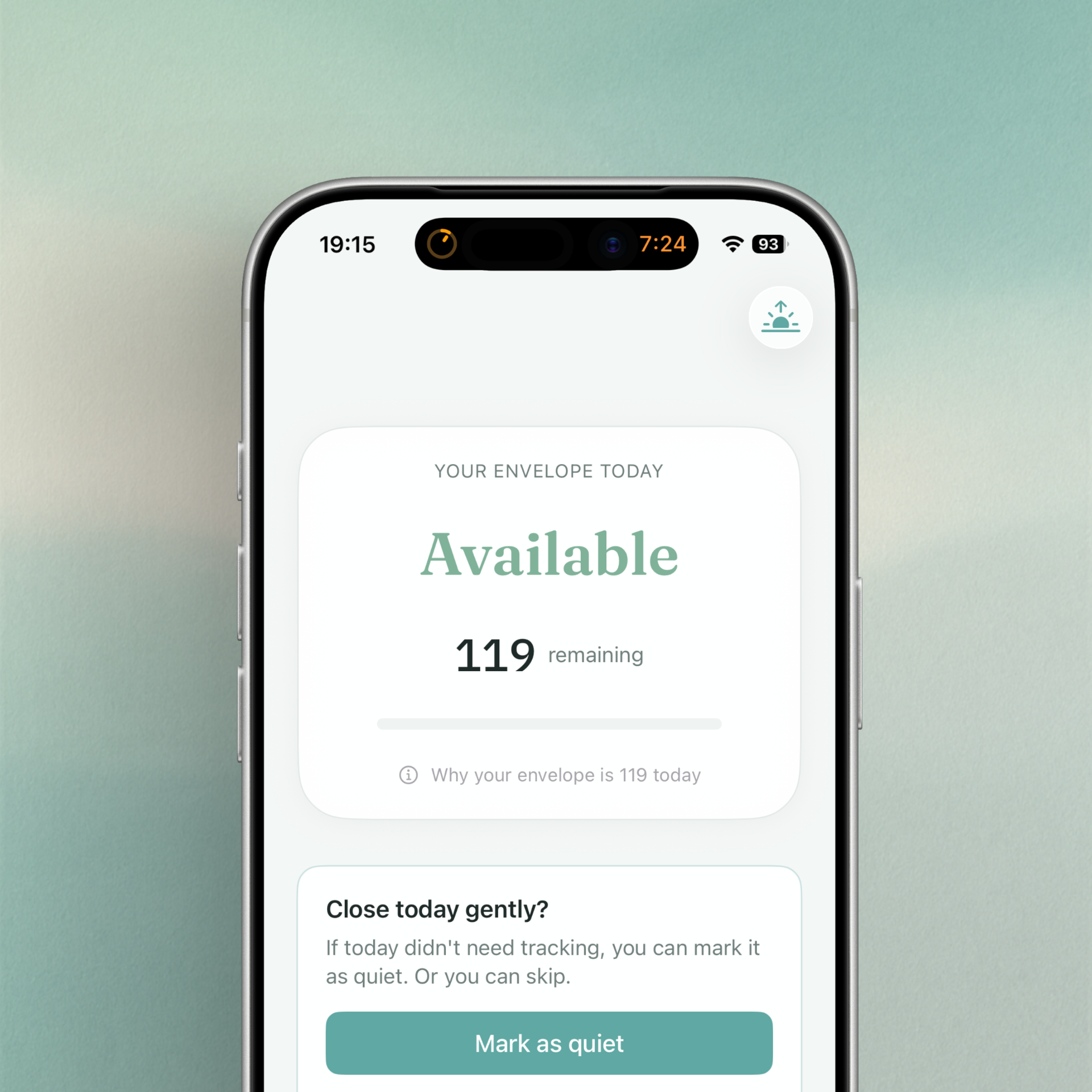
Instead of trying to optimize behavior, Paciva explores how to model capacity itself — and how to make that model understandable, flexible, and honest.
The Envelope Theory
The core idea behind Paciva is what I call the Envelope Theory.
The theory is simple:
Each day has a limited, finite capacity.
That capacity is not fixed, predictable, or universal.
Spending beyond it has delayed consequences.
Recovery is possible, but constrained.
Rather than treating energy as something to be maximized, the envelope acts as a boundary: a container that can be protected, depleted, or overdrawn.
This metaphor already exists informally in concepts like pacing or spoon theory, but Paciva’s goal was to turn it into a practical, day-to-day system — without turning it into a medical model or a productivity score.
Design Goals
From the start, several constraints shaped the implementation:
No optimization pressure The app should not reward “doing more” or penalize rest.
No false precision Numbers are references, not measurements. The system must remain interpretable even when it’s “wrong”.
Context-aware, not diagnosis-driven The same envelope model should work for different lived realities, without fragmenting into separate apps.
Calibration over time The system should adapt gently, instead of requiring constant manual tuning.
Low cognitive load Interactions must remain usable on low-capacity days.
Core Model Implementation
At the heart of Paciva is a daily envelope represented by a reference capacity (commonly shown as “100”, but intentionally personal).
Daily capacity is derived from:
A baseline reference
Morning check-in signals (sleep, symptoms)
Gentle day-type modifiers
Historical calibration offsets
Importantly, no single input dominates the result. This avoids dramatic swings and reinforces trust.
Activities and rest
Activities are logged using coarse dimensions (physical, cognitive, emotional/social, sensory), while rest is treated as recovery — but with capped effectiveness to avoid “gaming” the system.
Recovery is intentionally limited, reflecting real-world constraints.
Contexts Instead of Modes
An early design mistake was treating ME/CFS and neurodivergence as separate “modes”.
This was replaced with a context system:
The envelope model stays the same.
Contexts adjust:
language
default assumptions
guidance tone
soft constraints (e.g. recovery effectiveness)
This allows Paciva to remain a single coherent system, while still being respectful of different experiences.
Day Shape: Beyond “Work Day”
Another key insight was that days don’t just differ in workload — they differ in structure.
Paciva introduces the idea of Day Shape:
Open days
Structured days
Mixed days
Protected days
This influences how the envelope behaves (subtly), rather than simply tagging a day as “work” or “not work”.
From a systems perspective, this models constraint friction, not effort.
Trust and Transparency
A central challenge was avoiding the trap of algorithmic authority.
Paciva explicitly communicates that:
The envelope is an interpretation, not a measurement.
The system may feel off at first.
Calibration requires multiple days.
Users remain the final authority.
This “truth contract” is reflected in onboarding copy, guidance language, and the absence of hard goals or streaks.
Why Implement It This Way
The Envelope Theory works as a digital system because it:
Scales across different needs without branching logic explosions
Allows for subjective input without pretending to be objective
Encourages reflection rather than optimization
Respects uncertainty instead of hiding it
From a technical standpoint, it’s a deliberately soft system — one that trades precision for interpretability and adaptability.
Current State
Paciva is now publicly available on iOS, with an early Android beta.
More information about the concept, design decisions, and ongoing development is available at:
👉 https://paciva.app
So… What now?
Paciva is an experiment in designing software around limits rather than potential.
It’s not finished — and it may never be “complete” in the traditional sense — but it represents a direction I care deeply about: tools that meet people where they actually are, not where systems expect them to be.
If that idea resonates, Paciva is the result of exploring it seriously.
Communication isn’t always easy. For neurodivergent individuals, people experiencing anxiety, or anyone dealing with sensory overload, finding the right words—or any words at all—can feel impossible. In classrooms, meetings, or public spaces, asking for help can be overwhelming when you’re already struggling.
I wanted to create something simple: a way to say “I need help” without having to explain why, without drawing attention, without words.
That’s how Tihi was born.
What Is Tihi?
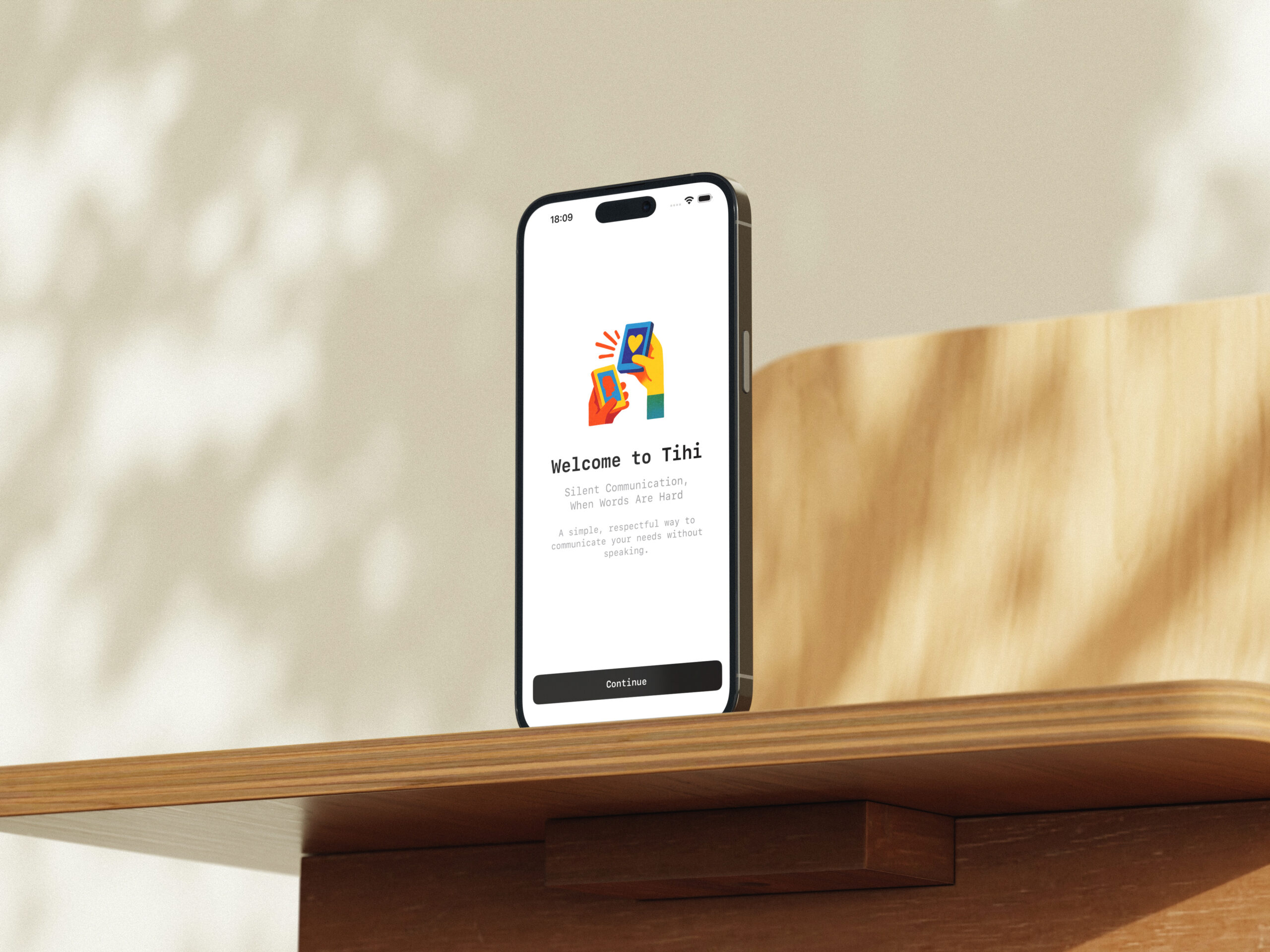
Tihi is a minimalist iOS app that lets you send silent signals to a support person with a single tap. No typing, no explaining, no verbal communication required. Just tap a button, and your support person gets an instant notification.
Think of it as a digital hand signal—discreet, immediate, and clear.
Built-in Signals
The app includes nine pre-set signals that cover common needs:
Plus a Custom Signal option for personalized messages like “Need water,” “Too cold,” or “Bathroom.”
The Development Journey
Starting Simple: Local Communication
I started with the core concept: two devices, one sender, one receiver. The first version used MultipeerConnectivity for direct Bluetooth/WiFi communication between nearby devices. No internet, no servers, completely private.
The pairing process needed to be simple. I implemented three methods:
QR Code pairing – Scan a code to connect instantly
Recent connections – Quick reconnect to trusted devices
The Background Challenge
The first major hurdle: iOS background limitations. When a receiver’s phone locked, the connection would drop after about 10 minutes. This was frustrating—the whole point was to receive signals when you couldn’t actively monitor your phone.
I implemented several solutions:
Keep-alive pings to maintain the connection
Trusted devices that auto-reconnect when they come back in range
Immediate notifications with triple haptic feedback
Signal history so nothing gets lost
But the fundamental limitation remained: iOS suspends background apps. Local connections work great when both devices are active, but struggle with extended background use.
The iMessage Solution
This led to the second major feature: iMessage Mode.
By building an iMessage extension, Tihi can now send signals anywhere in the world through Messages. This solves the distance problem and the background problem—iMessages arrive reliably no matter what.
The implementation involved:
Creating a TihiMessages extension with a signal picker interface
Encoding signals as iMessage data
Building a monitoring service in the main app to detect incoming signals
Sharing data between the app and extension via App Groups
Now users can choose:
Local Mode for nearby, private, internet-free communication
iMessage Mode for remote support anywhere
Design Philosophy
Throughout development, I maintained a few core principles:
Minimalism: Every screen serves a clear purpose. No clutter, no unnecessary features. Large touch targets, high contrast, monospace fonts for clarity.
Accessibility: Haptic feedback, and visual indicators ensure the app works for everyone.
Privacy: No accounts, no cloud storage, no data collection. Communication happens directly between devices or through Apple’s encrypted iMessage.
Dignity: The app never makes you explain yourself. A single tap is enough.
Real-World Use Cases
The beauty of Tihi is its flexibility:
In Education: A student feeling overwhelmed can silently alert their teacher without disrupting the class. The teacher gets a notification and can respond appropriately.
At Home: A child experiencing sensory overload can signal their parent from another room. No need to find them or verbally explain.
In the Workplace: Someone with anxiety can discreetly let a colleague know they need support during a meeting.
Remote Support: A college student can signal their parent across the country via iMessage. An adult living independently can reach their support network anywhere.
Technical Stack
SwiftUI for the entire UI
MultipeerConnectivity for local device-to-device communication
Messages Framework for iMessage extension
UserDefaults with App Groups for data sharing
UserNotifications for alerts
CoreHaptics for feedback
Lessons Learned
1. iOS Background Limitations Are Real
No amount of clever coding can overcome iOS’s fundamental background restrictions. MultipeerConnectivity works great in the foreground but struggles in the background. The solution wasn’t technical—it was offering an alternative (iMessage Mode).
2. User Testing Is Everything
Early versions had complex pairing flows. Real users showed me they needed something simpler. MultipeerConnectivity became the primary method because they’re instant and almost foolproof.
3. Privacy Matters
Users told me they appreciated the no-account, no-server approach. In a world of data collection, sometimes the best feature is what you don’t do.
What’s Next
Tihi is live on the App Store, and I’m gathering feedback from real users. Future possibilities include:
Apple Watch support for even more discreet signaling
Signal scheduling for predictable needs
Pattern recognition to identify trends in signal history
Customizable haptic patterns for different signals
But the core will always remain simple: one tap, instant communication, no words needed.
Try Tihi
If you or someone you know struggles with verbal communication during overwhelming moments, Tihi might help. It’s designed to remove barriers and provide a dignified way to ask for support.
Download it on the App Store and let me know what you think.
Note: Tihi is a communication tool and not a substitute for professional medical or therapeutic support.
About the Development Process
Total development time: ~3 months
Month 1: Core local communication, UI design, signal system
Die offizielle App des Queersicht Filmfestivals Bern
Ich habe die Queersicht App von Grund auf entwickelt, um Festivalbesucher*innen das beste Erlebnis zu bieten. Als persönlicher Begleiter für das grösste queere Filmfestival der Schweiz bringt die App das gesamte Festivalprogramm direkt aufs Smartphone. Was als Idee begann, wurde zu einem umfassenden Projekt, das mich technisch und kreativ herausgefordert hat.
Die Vision
Mein Ziel war es, nicht einfach nur eine weitere Festival-App zu entwickeln, sondern ein Tool zu schaffen, das die Vielfalt, Kreativität und den Spirit der queeren Community widerspiegelt. Die App sollte nicht nur funktional sein, sondern auch visuell begeistern und ein echtes Erlebnis bieten.
Was ich umgesetzt habe:
Persönliches Programm mit intelligenter Synchronisation Ich habe ein ausgeklügeltes Favoritensystem entwickelt, mit dem Nutzer*innen ihr individuelles Festivalprogramm zusammenstellen können. Die Herausforderung bestand darin, die Daten so zu strukturieren, dass Filme mit mehreren Vorstellungen korrekt verwaltet werden. Die App zeigt die nächsten Vorstellungen chronologisch sortiert an – so verpasst man garantiert nichts.
Vollständiges Filmprogramm mit dynamischer API-Integration Alle Filme des Festivals sind mit detaillierten Informationen, Trailern, Inhaltsangaben und Vorstellungszeiten verfügbar. Ich habe eine REST API-Anbindung entwickelt, die stündlich im Hintergrund nach Updates sucht. Eine besondere Herausforderung war die Verwaltung von Bildern – ich habe ein mehrstufiges Caching-System implementiert (Memory, Disk, Network), das Bilder in verschiedenen Grössen lädt und die Performance massiv verbessert.
Events & Special Screenings Die App hält Nutzer*innen über alle Begleitveranstaltungen, Partys, Diskussionen und Special Events auf dem Laufenden. Hier musste ich eine flexible Datenstruktur schaffen, die sowohl Filme als auch Events einheitlich darstellen kann.
Offline-First Architektur – Eine technische Herausforderung Ein besonderes Augenmerk habe ich auf die Offline-Funktionalität gelegt. Dies war eine der grössten technischen Herausforderungen: Die App musste auch ohne Internetverbindung voll funktionsfähig sein, da viele Kinos schlechten Empfang haben. Ich habe ein lokales Storage-System mit JSON-Serialisierung entwickelt, das alle Daten persistent speichert. Automatische Updates im Hintergrund halten das Programm aktuell, ohne die Nutzer*innen zu stören.
Mehrsprachigkeit mit Echtzeit-Sprachwechsel Ich habe die App vollständig zweisprachig (Deutsch/Französisch) entwickelt. Die Herausforderung war, dass der Sprachwechsel ohne App-Neustart funktionieren musste. Ich habe ein eigenes Localization-System gebaut, das alle Views automatisch aktualisiert, wenn die Sprache gewechselt wird – inklusive Datumsformatierung und dynamischer Texte.
Technische Highlights und Erfolge:
Modernes SwiftUI Design mit Custom Theming Ich habe die App nativ in SwiftUI entwickelt und ein komplettes Theme-System implementiert. Nutzer*innen können zwischen sechs einzigartigen Farbthemen wählen, die vom Queersicht Design inspiriert sind. Jedes Theme hat seine eigene Farbpalette und eigene Logo-Varianten. Die Herausforderung war, dass alle UI-Komponenten dynamisch auf Theme-Änderungen reagieren mussten.
Animierte Mesh-Gradienten – Ein visuelles Highlight Besonders stolz bin ich auf die lebendigen, animierten Hintergründe. Ich habe iOS 26’s neue MeshGradient API verwendet und eigene Animationslogik entwickelt, die die Gradientenpunkte sanft bewegt. Das Ergebnis ist ein hypnotischer, fliessender Hintergrund, der die App zu einem visuellen Erlebnis macht. Die Performance-Optimierung war hier entscheidend – die Animationen laufen mit 60 FPS, ohne den Akku zu belasten.
Queer Crush Mini-Game – Von der Idee zur Umsetzung Als besonderes Feature habe ich ein exklusives Match-3-Spiel entwickelt. Dies war ein Projekt im Projekt: Ich musste die komplette Spiellogik programmieren – Tile-Matching, Gravity-System, Cascade-Effekte, Score-Berechnung und ein Highscore-System mit lokalem Speicher. Eine kritische Bug-Fix-Session hat mir gezeigt, wie wichtig saubere Rekursions-Vermeidung ist – ich habe das ursprüngliche rekursive System durch ein asynchrones Queue-System ersetzt, das viel stabiler läuft.
Smart Review System nach Apple Best Practices Die App fordert nach 10 Nutzungen höflich zu einer Bewertung auf – mit intelligentem Timing, das Apple’s Best Practices folgt. Das System merkt sich, wenn jemand bereits bewertet hat, und nervt nicht mit wiederholten Anfragen. Ich habe einen 5-Tage-Cooldown implementiert, falls jemand die Anfrage ablehnt.
Performance-Optimierung und Speicherverwaltung Durch intelligentes Caching und asynchrones Laden habe ich sichergestellt, dass die App auch bei schlechter Internetverbindung flüssig läuft. Bilder werden in drei Stufen geladen (Memory Cache → Disk Cache → Network), was die Ladezeiten drastisch reduziert. Ich habe auch ein System entwickelt, das die Datengrösse schätzt und Nutzer*innen informiert, bevor grosse Downloads starten.
Die grössten Herausforderungen:
1. Datenmodellierung und API-Design Die Struktur der Daten war komplex: Filme haben mehrere Vorstellungen, Vorstellungen haben Locations, und alles muss mit Favoriten verknüpft werden. Ich musste mehrmals refactoren, bis die Architektur stimmte.
2. State Management in SwiftUI SwiftUI’s reaktives System ist mächtig, aber auch tückisch. Ich hatte mehrere Situationen, wo Views nicht aktualisierten oder zu oft neu gerendert wurden. Die Lösung war ein sauberes ViewModel-Pattern mit @Published Properties und gezielten Updates.
3. Bildcaching und Memory Management Bei so vielen von Filmstills konnte die App schnell Speicherprobleme bekommen. Ich habe ein dreistufiges Caching-System entwickelt und Bilder in verschiedenen Grössen geladen – Preview-Qualität für Listen, Full-Qualität für Details.
4. Offline-Synchronisation Das Schwierigste war, einen Zustand zu managen, wo lokale Daten existieren, aber Updates verfügbar sind. Ich musste entscheiden: Sofort updaten oder erst fragen? Alte Daten behalten oder überschreiben? Die Lösung war ein intelligentes Merge-System.
Die grössten Erfolge:
1. Flüssige Performance Die App läuft butterweich, selbst auf älteren iPhones. Die Animationen sind geschmeidig, und Ladezeiten sind minimal.
2. Offline-First funktioniert perfekt Nutzer*innen können die App nach dem ersten Start und Datenabgleich komplett ohne Internet nutzen. Das war eines der Hauptziele, und es funktioniert einwandfrei.
3. Visuell beeindruckend Die animierten Hintergründe und das Theme-System machen die App zu einem echten Hingucker.
4. Stabile Architektur Der Code ist sauber strukturiert, gut dokumentiert und erweiterbar. Neue Features lassen sich leicht hinzufügen.
Was ich gelernt habe:
Technisch:
SwiftUI’s Stärken und Schwächen im Detail
Async/Await und moderne Concurrency in Swift
Performance-Optimierung und Profiling
REST API Integration und Error Handling
Lokale Datenpersistenz und Caching-Strategien
Projektmanagement:
Wie wichtig klare Datenstrukturen von Anfang an sind
Dass Refactoring manchmal die beste Entscheidung ist
Wie man Features priorisiert und Scope managt
Die Bedeutung von User Testing und Feedback
Design:
Wie man Ästhetik und Funktionalität vereint
Die Kraft von subtilen Animationen
Accessibility und inklusive Design-Prinzipien
Die Zukunft:
Die Entwicklung dieser App war mir eine Herzensangelegenheit. Ich wollte nicht nur eine funktionale Festival-App schaffen, sondern ein Tool, das die Vielfalt und Kreativität der queeren Community widerspiegelt. Jede Zeile Code, jede Animation, jedes Detail wurde mit Sorgfalt und Leidenschaft entwickelt.
Das Ergebnis ist eine App, auf die ich stolz bin – nicht nur technisch, sondern auch als Beitrag zur queeren Kultur und Community.
The official app for the Queersicht Film Festival Bern
I developed the Queersicht App from the ground up to give festival visitors the best possible experience. As a personal companion for the largest queer film festival in Switzerland, the app brings the entire festival programme directly to your smartphone. What started as an idea became a comprehensive project that challenged me both technically and creatively.
The Vision
My goal was not simply to build another festival app, but to create a tool that reflects the diversity, creativity, and spirit of the queer community. The app was designed to be not only functional but also visually engaging and a real experience in itself.
What I Built
Personalised Schedule with Smart Sync
I developed an advanced favourites system that allows users to build their own personalised festival schedule. The challenge was to structure the data so that films with multiple screenings are handled correctly. The app shows upcoming screenings in chronological order — so nothing gets missed.
Full Film Programme with Dynamic API Integration
All films at the festival are available with detailed information, trailers, summaries, and screening times. I built a REST API connection that checks for updates in the background every hour. One particular challenge was image management — I implemented a multi-stage caching system that loads images in different sizes and significantly improves performance.
Events & Special Screenings
The app keeps users updated on all accompanying events, parties, discussions, and special screenings. Here I had to design a flexible data structure that can represent both films and events in a unified way.
Offline-First Architecture — A Technical Challenge
A major focus was offline functionality. This was one of the biggest technical challenges: the app had to be fully usable without an internet connection, as many cinemas have poor reception. I built a local storage system with persistent JSON storage that keeps all data available. Automatic background updates keep the programme current without interrupting the user.
Multilingual Support with Real-Time Language Switching
I developed the app fully bilingual (German/French). The challenge was to make the language change work without restarting the app. I built a custom localisation system that automatically updates all views when the language is changed, including date formatting and dynamic text.
Technical Highlights & Achievements
Modern SwiftUI Design with Custom Theming
I built the app natively in SwiftUI and implemented a complete theme system. Users can choose between six unique color themes inspired by the Queersicht design. Each theme has its own colour palette and logo variants. All UI components dynamically respond to theme changes.
Animated Mesh Gradients — A Visual Highlight
One of the standout features is the dynamic animated backgrounds. I used iOS 26’s MeshGradient API and developed custom animation logic that moves gradient points smoothly. The result is a hypnotic, flowing background experience that makes the app visually compelling, running at 60 FPS without draining the battery.
Queer Crush Mini-Game — From Idea to Implementation
As a special feature, I developed an exclusive match-3 mini-game called Queer Crush. This involved building all game logic — tile matching, gravity systems, cascade effects, scoring, and a local high-score system.
Smart Review System Following Apple’s Best Practices
The app politely prompts users for a review after 10 uses, with intelligent timing that follows Apple’s best practices. The system remembers if someone has already reviewed and doesn’t repeatedly ask again. I implemented a five-day cooldown if the request is dismissed.
Performance Optimisation and Memory Management
Through intelligent caching and asynchronous loading, the app runs smoothly even on weaker connections. Images load in three stages (memory cache → disk cache → network), drastically reducing load times. I also developed a system that estimates data size and informs users before large downloads begin.
Major Challenges
Data Modelling & API Design – Handling complex structures: films, screenings, locations, and favourites all interlinked.
State Management in SwiftUI – SwiftUI’s reactive model is powerful but tricky; solving issues with view updates required a clean view-model pattern.
Image Caching & Memory – Managing many film stills without memory issues required multi-stage caching and different image resolutions.
Offline Synchronisation – Balancing local data and updates without disrupting the user experience.
Key Achievements
Smooth Performance: Runs buttery smooth, even on older iPhones.
Offline-First Works Perfectly: Users can use the app fully without internet after the first data sync.
Visually Impressive: Animated backgrounds and theme system make the app stand out.
Stable Architecture: Clean, documented, and extensible code.
What I Learned
On the technical side:
SwiftUI strengths and limitations
Async/await and modern concurrency in Swift
Performance profiling and optimisation
REST API error handling
Local data persistence and caching strategies
On project management and design:
Importance of clear data structures
When refactoring is the best choice
Prioritising features and managing scope
The power of subtle animation and inclusive design principles
The Future
Developing this app was a labour of love. I didn’t just want to build a functional festival app — I wanted to create a tool that reflects the queer community’s diversity and creativity. Every line of code, every animation, and every detail was crafted with care and passion. The result is an app I’m proud of — not just technically, but also as a contribution to queer culture and community.
The official app for the Queersicht Film Festival Bern
I developed the Queersicht App from the ground up to give festival visitors the best possible experience. As a personal companion for the largest queer film festival in Switzerland, the app brings the entire festival programme directly to your smartphone. What started as an idea became a comprehensive project that challenged me both technically and creatively.
The Vision
My goal was not simply to build another festival app, but to create a tool that reflects the diversity, creativity, and spirit of the queer community. The app was designed to be not only functional but also visually engaging and a real experience in itself.
What I Built
Personalised Schedule with Smart Sync
I developed an advanced favourites system that allows users to build their own personalised festival schedule. The challenge was to structure the data so that films with multiple screenings are handled correctly. The app shows upcoming screenings in chronological order — so nothing gets missed.
Full Film Programme with Dynamic API Integration
All films at the festival are available with detailed information, trailers, summaries, and screening times. I built a REST API connection that checks for updates in the background every hour. One particular challenge was image management — I implemented a multi-stage caching system that loads images in different sizes and significantly improves performance.
Events & Special Screenings
The app keeps users updated on all accompanying events, parties, discussions, and special screenings. Here I had to design a flexible data structure that can represent both films and events in a unified way.
Offline-First Architecture — A Technical Challenge
A major focus was offline functionality. This was one of the biggest technical challenges: the app had to be fully usable without an internet connection, as many cinemas have poor reception. I built a local storage system with persistent JSON storage that keeps all data available. Automatic background updates keep the programme current without interrupting the user.
Multilingual Support with Real-Time Language Switching
I developed the app fully bilingual (German/French). The challenge was to make the language change work without restarting the app. I built a custom localisation system that automatically updates all views when the language is changed, including date formatting and dynamic text.
Technical Highlights & Achievements
Modern SwiftUI Design with Custom Theming
I built the app natively in SwiftUI and implemented a complete theme system. Users can choose between six unique color themes inspired by the Queersicht design. Each theme has its own colour palette and logo variants. All UI components dynamically respond to theme changes.
Animated Mesh Gradients — A Visual Highlight
One of the standout features is the dynamic animated backgrounds. I used iOS 26’s MeshGradient API and developed custom animation logic that moves gradient points smoothly. The result is a hypnotic, flowing background experience that makes the app visually compelling, running at 60 FPS without draining the battery.
Queer Crush Mini-Game — From Idea to Implementation
As a special feature, I developed an exclusive match-3 mini-game called Queer Crush. This involved building all game logic — tile matching, gravity systems, cascade effects, scoring, and a local high-score system.
Smart Review System Following Apple’s Best Practices
The app politely prompts users for a review after 10 uses, with intelligent timing that follows Apple’s best practices. The system remembers if someone has already reviewed and doesn’t repeatedly ask again. I implemented a five-day cooldown if the request is dismissed.
Performance Optimisation and Memory Management
Through intelligent caching and asynchronous loading, the app runs smoothly even on weaker connections. Images load in three stages (memory cache → disk cache → network), drastically reducing load times. I also developed a system that estimates data size and informs users before large downloads begin.
Major Challenges
Data Modelling & API Design – Handling complex structures: films, screenings, locations, and favourites all interlinked.
State Management in SwiftUI – SwiftUI’s reactive model is powerful but tricky; solving issues with view updates required a clean view-model pattern.
Image Caching & Memory – Managing many film stills without memory issues required multi-stage caching and different image resolutions.
Offline Synchronisation – Balancing local data and updates without disrupting the user experience.
Key Achievements
Smooth Performance: Runs buttery smooth, even on older iPhones.
Offline-First Works Perfectly: Users can use the app fully without internet after the first data sync.
Visually Impressive: Animated backgrounds and theme system make the app stand out.
Stable Architecture: Clean, documented, and extensible code.
What I Learned
On the technical side:
SwiftUI strengths and limitations
Async/await and modern concurrency in Swift
Performance profiling and optimisation
REST API error handling
Local data persistence and caching strategies
On project management and design:
Importance of clear data structures
When refactoring is the best choice
Prioritising features and managing scope
The power of subtle animation and inclusive design principles
The Future
Developing this app was a labour of love. I didn’t just want to build a functional festival app — I wanted to create a tool that reflects the queer community’s diversity and creativity. Every line of code, every animation, and every detail was crafted with care and passion. The result is an app I’m proud of — not just technically, but also as a contribution to queer culture and community.
Die offizielle App des Queersicht Filmfestivals Bern
Ich habe die Queersicht App von Grund auf entwickelt, um Festivalbesucher*innen das beste Erlebnis zu bieten. Als persönlicher Begleiter für das grösste queere Filmfestival der Schweiz bringt die App das gesamte Festivalprogramm direkt aufs Smartphone. Was als Idee begann, wurde zu einem umfassenden Projekt, das mich technisch und kreativ herausgefordert hat.
Die Vision
Mein Ziel war es, nicht einfach nur eine weitere Festival-App zu entwickeln, sondern ein Tool zu schaffen, das die Vielfalt, Kreativität und den Spirit der queeren Community widerspiegelt. Die App sollte nicht nur funktional sein, sondern auch visuell begeistern und ein echtes Erlebnis bieten.
Was ich umgesetzt habe:
Persönliches Programm mit intelligenter Synchronisation Ich habe ein ausgeklügeltes Favoritensystem entwickelt, mit dem Nutzer*innen ihr individuelles Festivalprogramm zusammenstellen können. Die Herausforderung bestand darin, die Daten so zu strukturieren, dass Filme mit mehreren Vorstellungen korrekt verwaltet werden. Die App zeigt die nächsten Vorstellungen chronologisch sortiert an – so verpasst man garantiert nichts.
Vollständiges Filmprogramm mit dynamischer API-Integration Alle Filme des Festivals sind mit detaillierten Informationen, Trailern, Inhaltsangaben und Vorstellungszeiten verfügbar. Ich habe eine REST API-Anbindung entwickelt, die stündlich im Hintergrund nach Updates sucht. Eine besondere Herausforderung war die Verwaltung von Bildern – ich habe ein mehrstufiges Caching-System implementiert (Memory, Disk, Network), das Bilder in verschiedenen Grössen lädt und die Performance massiv verbessert.
Events & Special Screenings Die App hält Nutzer*innen über alle Begleitveranstaltungen, Partys, Diskussionen und Special Events auf dem Laufenden. Hier musste ich eine flexible Datenstruktur schaffen, die sowohl Filme als auch Events einheitlich darstellen kann.
Offline-First Architektur – Eine technische Herausforderung Ein besonderes Augenmerk habe ich auf die Offline-Funktionalität gelegt. Dies war eine der grössten technischen Herausforderungen: Die App musste auch ohne Internetverbindung voll funktionsfähig sein, da viele Kinos schlechten Empfang haben. Ich habe ein lokales Storage-System mit JSON-Serialisierung entwickelt, das alle Daten persistent speichert. Automatische Updates im Hintergrund halten das Programm aktuell, ohne die Nutzer*innen zu stören.
Mehrsprachigkeit mit Echtzeit-Sprachwechsel Ich habe die App vollständig zweisprachig (Deutsch/Französisch) entwickelt. Die Herausforderung war, dass der Sprachwechsel ohne App-Neustart funktionieren musste. Ich habe ein eigenes Localization-System gebaut, das alle Views automatisch aktualisiert, wenn die Sprache gewechselt wird – inklusive Datumsformatierung und dynamischer Texte.
Technische Highlights und Erfolge:
Modernes SwiftUI Design mit Custom Theming Ich habe die App nativ in SwiftUI entwickelt und ein komplettes Theme-System implementiert. Nutzer*innen können zwischen sechs einzigartigen Farbthemen wählen, die vom Queersicht Design inspiriert sind. Jedes Theme hat seine eigene Farbpalette und eigene Logo-Varianten. Die Herausforderung war, dass alle UI-Komponenten dynamisch auf Theme-Änderungen reagieren mussten.
Animierte Mesh-Gradienten – Ein visuelles Highlight Besonders stolz bin ich auf die lebendigen, animierten Hintergründe. Ich habe iOS 26’s neue MeshGradient API verwendet und eigene Animationslogik entwickelt, die die Gradientenpunkte sanft bewegt. Das Ergebnis ist ein hypnotischer, fliessender Hintergrund, der die App zu einem visuellen Erlebnis macht. Die Performance-Optimierung war hier entscheidend – die Animationen laufen mit 60 FPS, ohne den Akku zu belasten.
Queer Crush Mini-Game – Von der Idee zur Umsetzung Als besonderes Feature habe ich ein exklusives Match-3-Spiel entwickelt. Dies war ein Projekt im Projekt: Ich musste die komplette Spiellogik programmieren – Tile-Matching, Gravity-System, Cascade-Effekte, Score-Berechnung und ein Highscore-System mit lokalem Speicher. Eine kritische Bug-Fix-Session hat mir gezeigt, wie wichtig saubere Rekursions-Vermeidung ist – ich habe das ursprüngliche rekursive System durch ein asynchrones Queue-System ersetzt, das viel stabiler läuft.
Smart Review System nach Apple Best Practices Die App fordert nach 10 Nutzungen höflich zu einer Bewertung auf – mit intelligentem Timing, das Apple’s Best Practices folgt. Das System merkt sich, wenn jemand bereits bewertet hat, und nervt nicht mit wiederholten Anfragen. Ich habe einen 5-Tage-Cooldown implementiert, falls jemand die Anfrage ablehnt.
Performance-Optimierung und Speicherverwaltung Durch intelligentes Caching und asynchrones Laden habe ich sichergestellt, dass die App auch bei schlechter Internetverbindung flüssig läuft. Bilder werden in drei Stufen geladen (Memory Cache → Disk Cache → Network), was die Ladezeiten drastisch reduziert. Ich habe auch ein System entwickelt, das die Datengrösse schätzt und Nutzer*innen informiert, bevor grosse Downloads starten.
Die grössten Herausforderungen:
1. Datenmodellierung und API-Design Die Struktur der Daten war komplex: Filme haben mehrere Vorstellungen, Vorstellungen haben Locations, und alles muss mit Favoriten verknüpft werden. Ich musste mehrmals refactoren, bis die Architektur stimmte.
2. State Management in SwiftUI SwiftUI’s reaktives System ist mächtig, aber auch tückisch. Ich hatte mehrere Situationen, wo Views nicht aktualisierten oder zu oft neu gerendert wurden. Die Lösung war ein sauberes ViewModel-Pattern mit @Published Properties und gezielten Updates.
3. Bildcaching und Memory Management Bei so vielen von Filmstills konnte die App schnell Speicherprobleme bekommen. Ich habe ein dreistufiges Caching-System entwickelt und Bilder in verschiedenen Grössen geladen – Preview-Qualität für Listen, Full-Qualität für Details.
4. Offline-Synchronisation Das Schwierigste war, einen Zustand zu managen, wo lokale Daten existieren, aber Updates verfügbar sind. Ich musste entscheiden: Sofort updaten oder erst fragen? Alte Daten behalten oder überschreiben? Die Lösung war ein intelligentes Merge-System.
Die grössten Erfolge:
1. Flüssige Performance Die App läuft butterweich, selbst auf älteren iPhones. Die Animationen sind geschmeidig, und Ladezeiten sind minimal.
2. Offline-First funktioniert perfekt Nutzer*innen können die App nach dem ersten Start und Datenabgleich komplett ohne Internet nutzen. Das war eines der Hauptziele, und es funktioniert einwandfrei.
3. Visuell beeindruckend Die animierten Hintergründe und das Theme-System machen die App zu einem echten Hingucker.
4. Stabile Architektur Der Code ist sauber strukturiert, gut dokumentiert und erweiterbar. Neue Features lassen sich leicht hinzufügen.
Was ich gelernt habe:
Technisch:
SwiftUI’s Stärken und Schwächen im Detail
Async/Await und moderne Concurrency in Swift
Performance-Optimierung und Profiling
REST API Integration und Error Handling
Lokale Datenpersistenz und Caching-Strategien
Projektmanagement:
Wie wichtig klare Datenstrukturen von Anfang an sind
Dass Refactoring manchmal die beste Entscheidung ist
Wie man Features priorisiert und Scope managt
Die Bedeutung von User Testing und Feedback
Design:
Wie man Ästhetik und Funktionalität vereint
Die Kraft von subtilen Animationen
Accessibility und inklusive Design-Prinzipien
Die Zukunft:
Die Entwicklung dieser App war mir eine Herzensangelegenheit. Ich wollte nicht nur eine funktionale Festival-App schaffen, sondern ein Tool, das die Vielfalt und Kreativität der queeren Community widerspiegelt. Jede Zeile Code, jede Animation, jedes Detail wurde mit Sorgfalt und Leidenschaft entwickelt.
Das Ergebnis ist eine App, auf die ich stolz bin – nicht nur technisch, sondern auch als Beitrag zur queeren Kultur und Community.